When opening a ticket all members of your organization have access to the ticket using the customer portal.
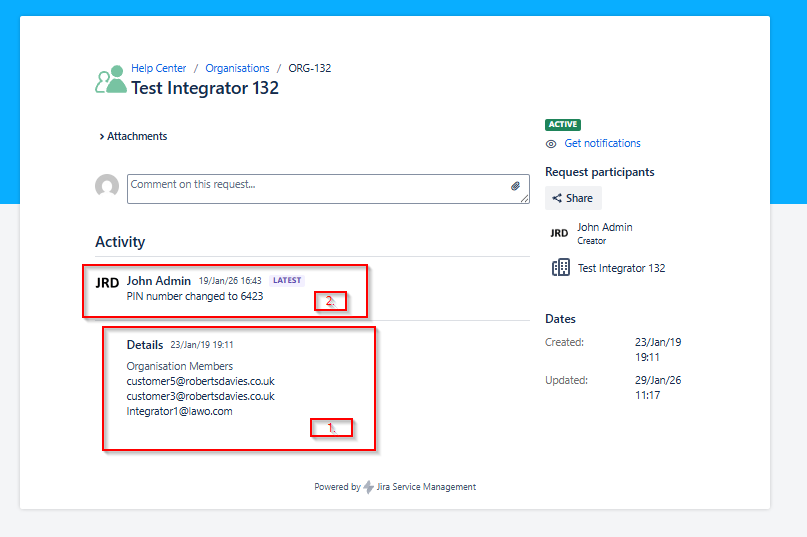
To see which colleagues are currently in your organization and which might need to be added or removed you can review them by checking out your organisation ticket.
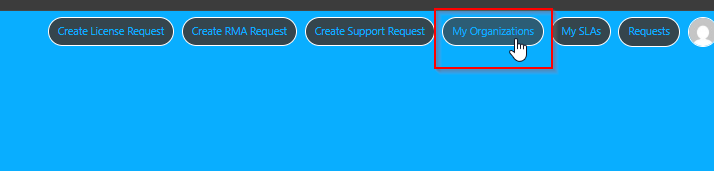
You can access the organization by clicking on "My Organizations" on the upper right corner.
- In the organization you will find a list of assiciated accounts to the organisation in the details. Everybody in that list can access every ticket within the organization.
- If you want to remove or add a person please get in touch by opening a service request and choosing the product Other/3rd Party, Jira. Please keep in mind that we can only add accounts with a domain name associated with your organization. Further details can be found here: How to update your technical contacts
- If you are a partner you will also find one or more comments with a PIN number. This number needs to be used when opening a project bug request. More information on that can be found here: How to create a Project Bug Report (Partners only)