HOME - Available Pages
In the current release of HOME, there are eight main pages. Usually, most of the work is done in the first two pages: 'Devices' and 'Stream Routing'.
The list below summarizes the page functions:
- Devices - lists all devices, apps and services known to HOME.
From here, you can manage the devices (e.g. approve or quarantine a device, create a new app) or click on a device label (to access the device-specific pages). - Stream Routing - manages the media network connections.
From here, you can connect a sender to a receiver, interrogate and lock existing connections, disable the sending streams and view or edit the stream configuration parameters. - Signal Ownership Groups - manages the ownership of signal parameters. For example, to allocate mic preamp control to a particular audio console.
- Snapshots - lists the system snapshots.
Snapshots can be used to backup the configuration of an individual device or the complete HOME system (i.e. all devices and stream routing). - Health - shows all active issues reported to HOME.
- Files - lists the files stored locally on the HOME system.
From here, you can manage the files. For example, to upload a new licensing file (to add more perpetual licenses). - Licenses - provides a comprehensive overview of the Perpetual licenses or Credits.
In each case, you can see what's available and the current usage. From the Credits tab, you can check and, if necessary, refresh the validity of the credits. - Settings - provides access to the HOME system settings.
This page is organized into a series of sub-pages for Admissions, Device Proxies, DHCP, etc.
Page Navigation
Depending on the width of the browser window, you can navigate to a different page by clicking on an option in the sidebar or drop-down menu.

Device Configuration Pages
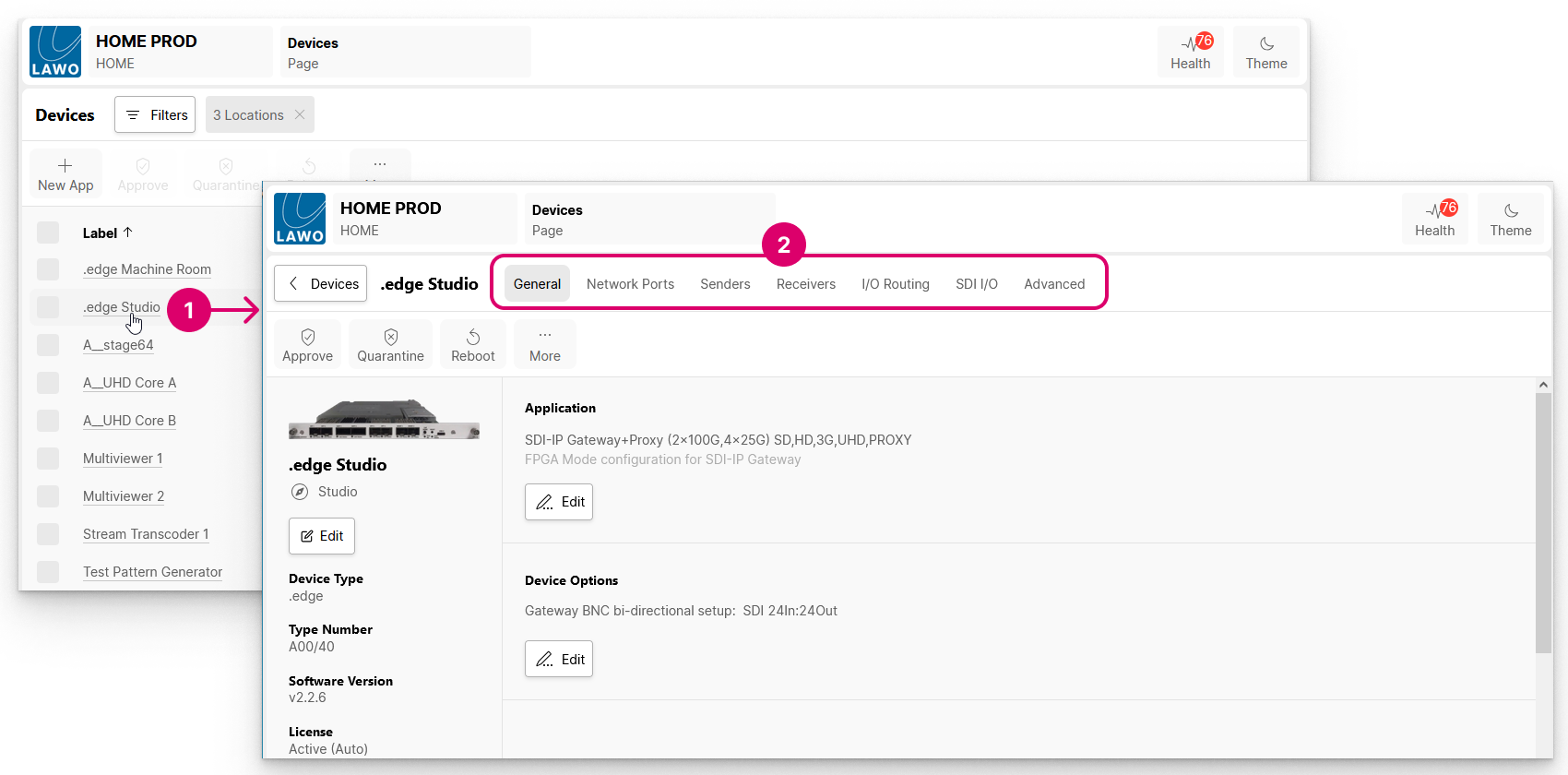
From the main 'Devices' page, you can navigate to an individual device by clicking on the device label (1) and choosing a menu tab (2).
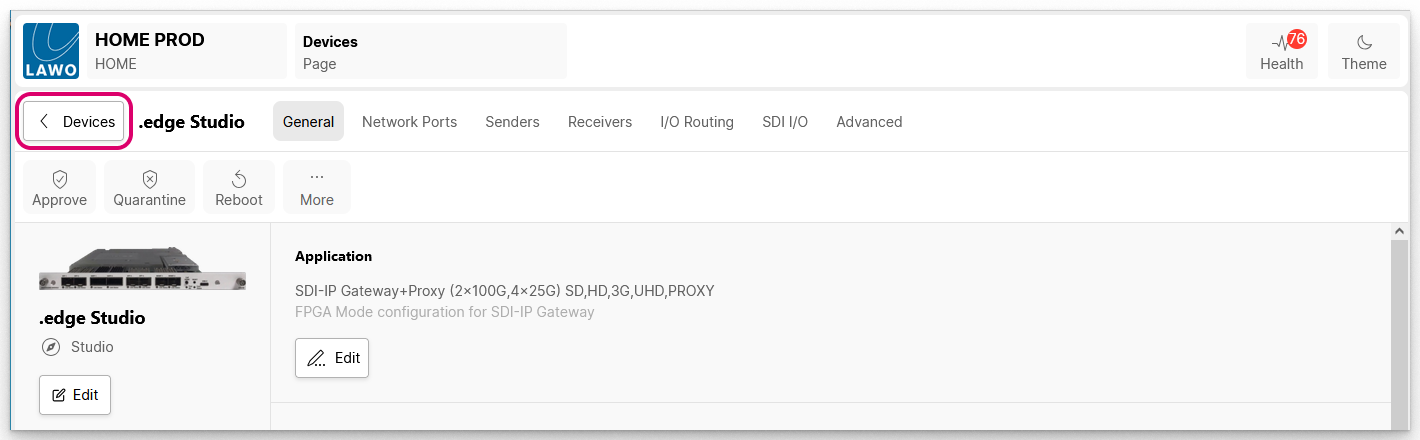
To return to the main 'Devices' list, click on the < Devices button (to the left of the device label).
For a detailed description of the Device Settings pages, please see HOME - Device Settings.
Other Sub-pages
If other sub-pages are available, then these are accessed via menu tabs (at the top of the main working area). For example, in the 'Licenses' page there is a choice of two menu tabs: Perpetual or Credits.
The exception is the HOME system 'Settings' page, where a separate menu appears (on the left of page).