The '
Device → Senders' page displays information relating to the Video, Audio and Metadata senders provided by the app.
From here you can check information about a sender, and select a sender to access its more advanced options: I/O Routing (for the audio streams), the stream configuration parameters, SDP data and Disable/Enable controls.
Available Senders (TX)
For a HOME Delay Inserter, there is a single output sender:
- TX 1 = Delay Inserter Output
When considering the app's configuration, the Video/Audio/Meta Transport options (for the Output) determine the number and type of flows.
The output can be configured to transmit the following streams:
- Video (only)
- Video and Audio
- Video and Meta
- Video, Audio and Meta
Once an app is configured and running, the sender details can be checked from the Senders page:
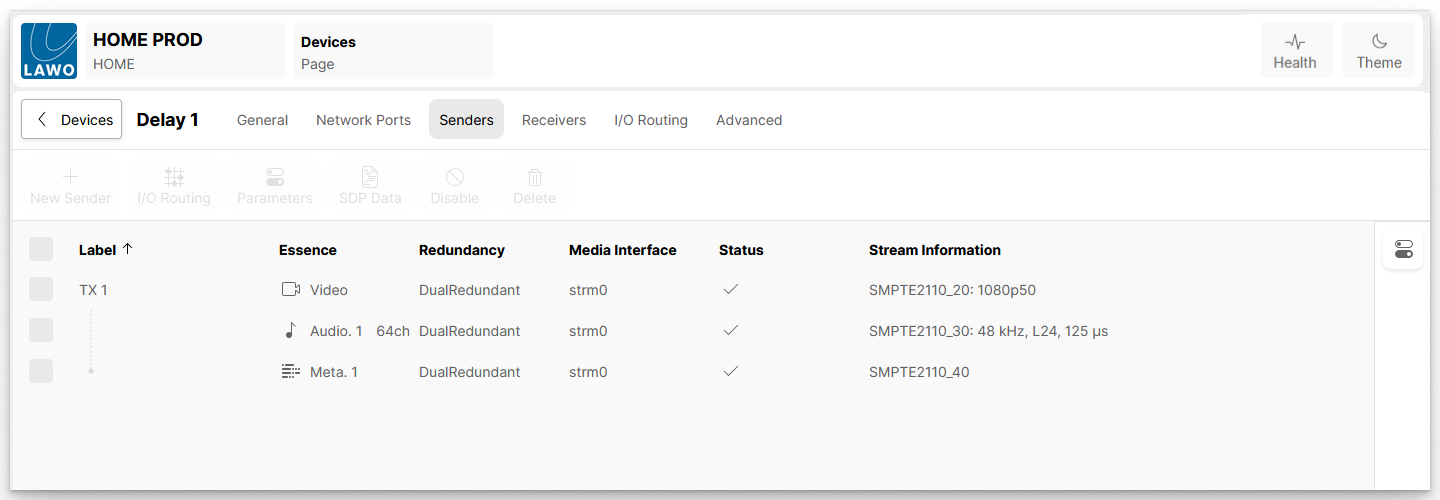
The informational fields show the Label of each sender, its essence type (Video, Audio or Meta) and other information such as whether dual-redundant streaming is configured. The fields have the same meaning for all app types, and are described in HOME Apps - Senders and Receivers.
Sender Operations
Once a sender is selected, the user can access and edit its more advanced options. For example, to adjust the I/O Routing (for the audio streams), the stream configuration parameters, SDP data and Disable/Enable controls:
Advanced page parameters
Further controls are available via the Advanced parameters page. See HOME Delay - Advanced -> Senders.