The New button (in the 'Snapshots' page) can be used to create a new HOME snapshot that stores the configuration and stream routing for all devices that are online when the snapshot is saved. It provides an alternative to the selective save method (described here).
Once created, data from the snapshot can be loaded either to all of the devices saved or a selection of those devices. This allows users to restore the device(s) to a previously known state.
To use this function:
- From HOME's 'Snapshots' page, click on New.
- The "New Snapshot" dialog opens. Enter a label and click on Create.
Note that the snapshot label must be unique.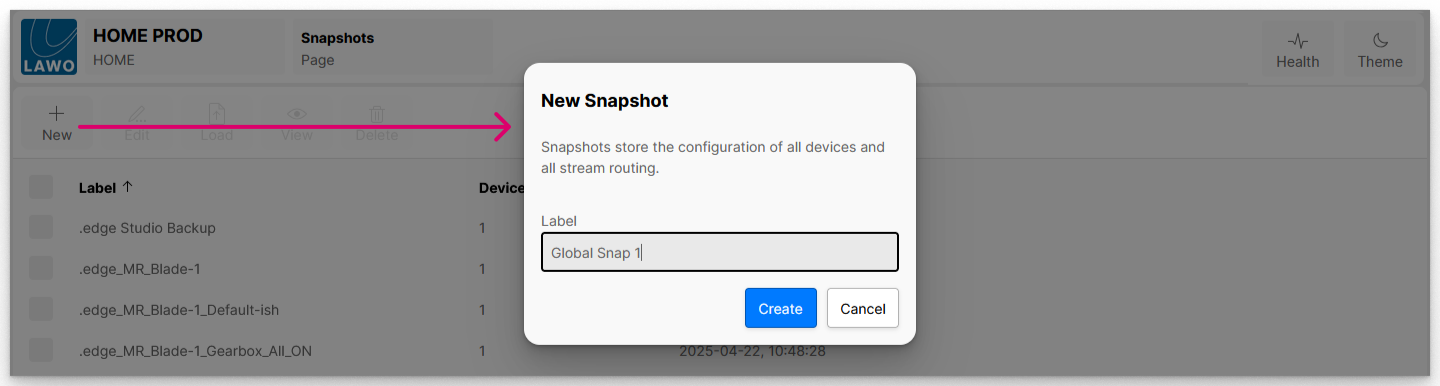
- Once created, the snapshot is added to the list of available snapshots (in the 'Snapshots' page).
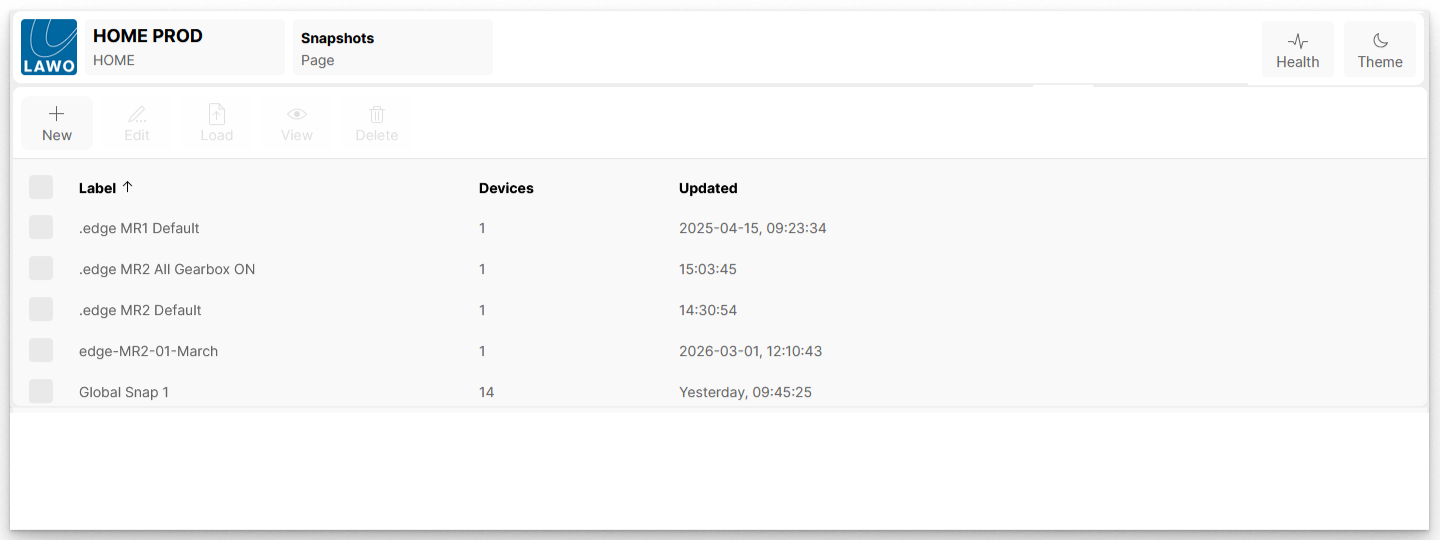
- It is a good idea to check the Devices column to confirm the number of devices saved (in case a device has gone offline and has not been included).
- If you want to verify the contents of the snapshot in more detail, then select the snapshot and click on View.
A detailed description of the View function is provided in HOME - View Snapshot.