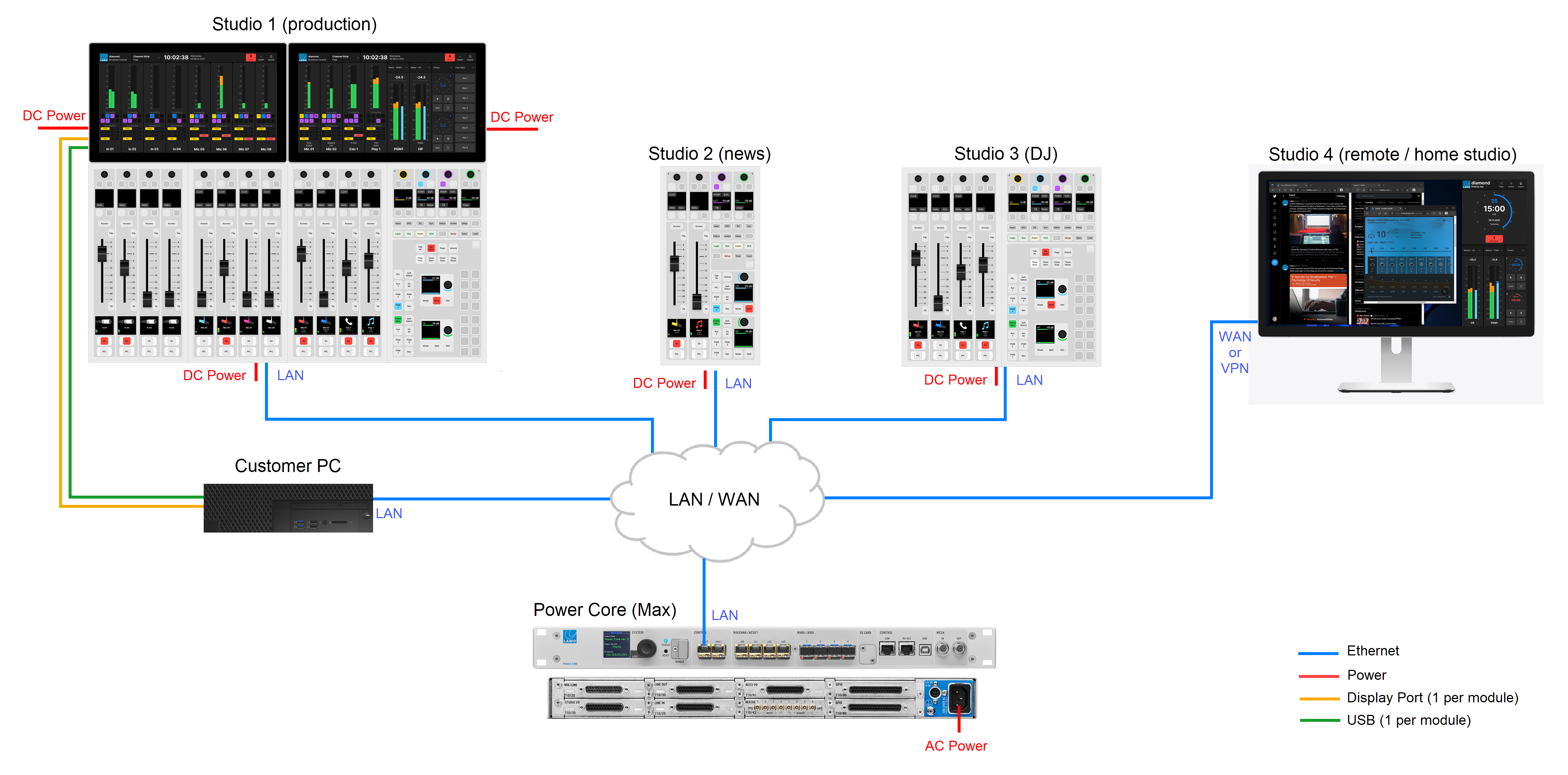
Important: When configuring Power Core Max, the real-time dynamic input measurement for the channel in ACCESS is supported by Access Group 1 only, and not Access Groups 2 to 4. This affects the dynamic signal level visualizations on the GUI such as the bouncing balls in the Dynamics 'Source Parameter' dialog box. So, in the example above, these visualizations are available for Studio 1 only, and not Studios 2 to 4.
For this reason, it is recommended to use Access Group 1 for the most important surface / the surface with a Virtual Extension.