HOME UDX - Advanced -> Audio Processing
The Advanced → Audio Processing menu relates to the 'Advanced Audio' function of the UDX.
This function is optional and so the menu only appears once the Advanced Audio add-on is enabled in the app configuration.
Once enabled, the HOME UDX is able to perform a level of audio processing to audio streams passing through the app.
Advanced Audio
The Advanced Audio processing provides gain, mute and phase control for all audio channels (of the app) on both the input and output sides.
Having two sets of controls makes it possible, for example, to correct the gain or phase of incoming audio (using the input controls), and then apply changes to the outgoing audio (using the output controls). The latter is particularly useful if the app's audio channels have been remapped in the I/O Routing page.
The following functions can be applied, individually, to all audio channels:
- Gain
- Invert Polarity
- Mute
By setting the 'Channel n' control to Passthrough, the user is able to bypass any configured processing using a single control.
Audio Processing (Controls)
The advanced audio processing is controlled from the app's 'Advanced → Audio Processing' menu.
There is an identical set of controls for each audio receiver (under Inputs) and audio sender (under Outputs).
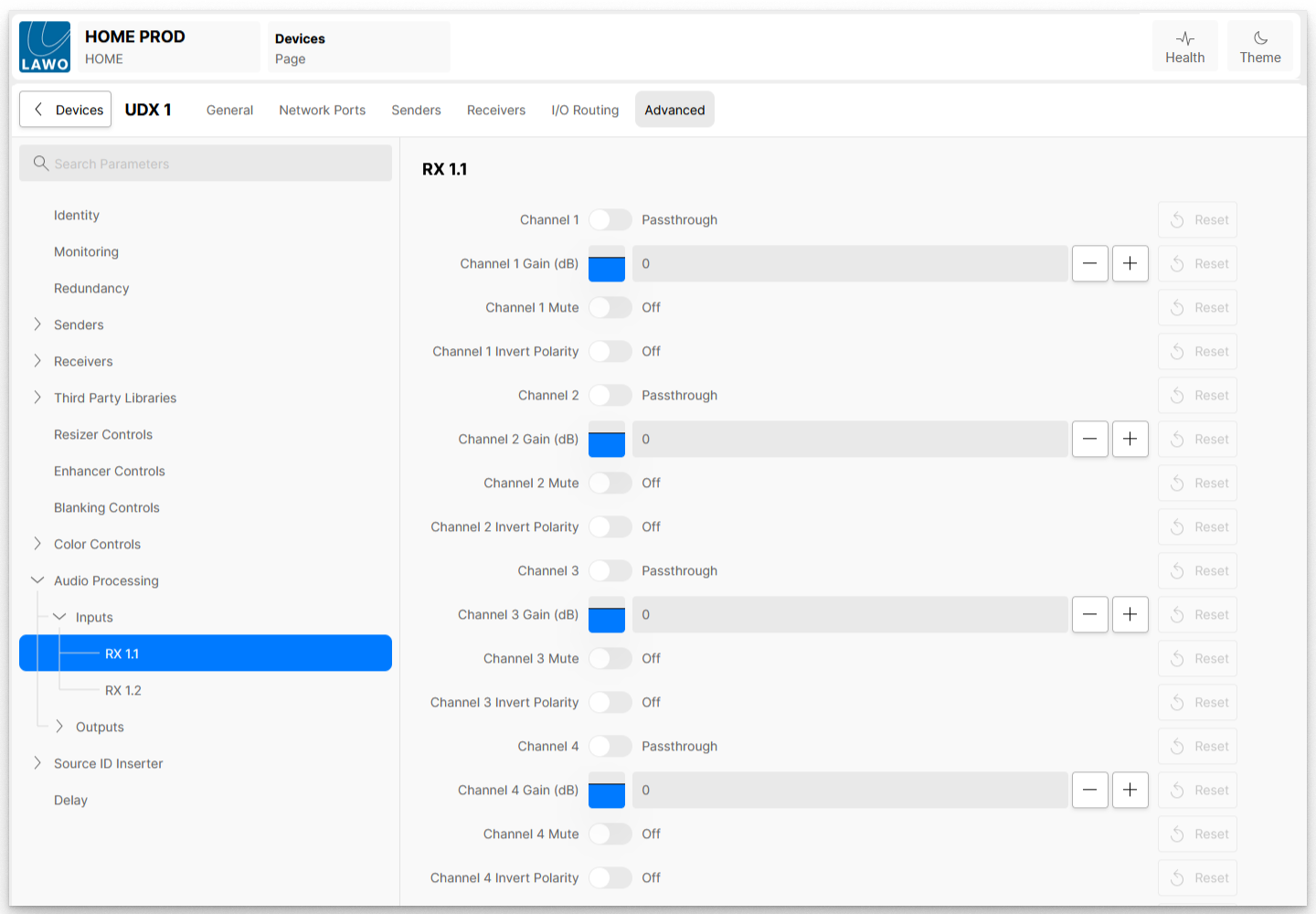
The example above shows the controls for an audio input receiver: RX 1.1. Please note:
- If more than one audio flow is configured, then these are listed separately. i.e. RX 1.1 = Receiver 1, Audio 1; RX 1.2 = Receiver 1, Audio 2; RX 1.3 = Receiver 1, Audio 3, etc.
- The number of channels listed is dependent on the number of audio channels carried by the stream. i.e. 1x 64-channels or 2x 32-channels or 4x 16-channels, etc.
The following controls are provided for each individual audio channel.
| Control | Range | Description |
|---|---|---|
| Channel n | On Passthrough | When set to On, this audio channel passes through the audio processor and the configured processing is applied. When set to Passthrough, the audio channel bypasses the audio processor and is not affected. i.e. no processing is applied. |
| Channel n Gain (dB) | +70 -128 | Adjusts the amount of gain applied to the channel's audio. |
| Channel n Mute | On Off | When set to On, mutes (silences) the channel's audio. When set to Off, allows the audio to pass through. |
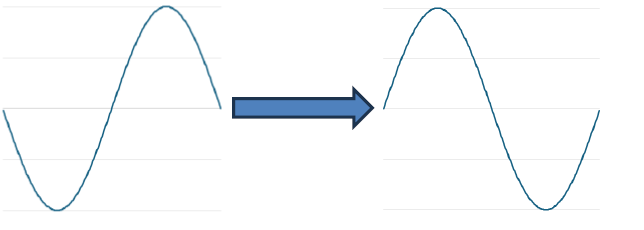
| Channel n Invert Polarity | On Off | When set to On, the phase of the audio is inverted (as shown below):
When set to Off, allows the audio to pass through. |