HOME Timecode Generator - Advanced -> Timecode Generator
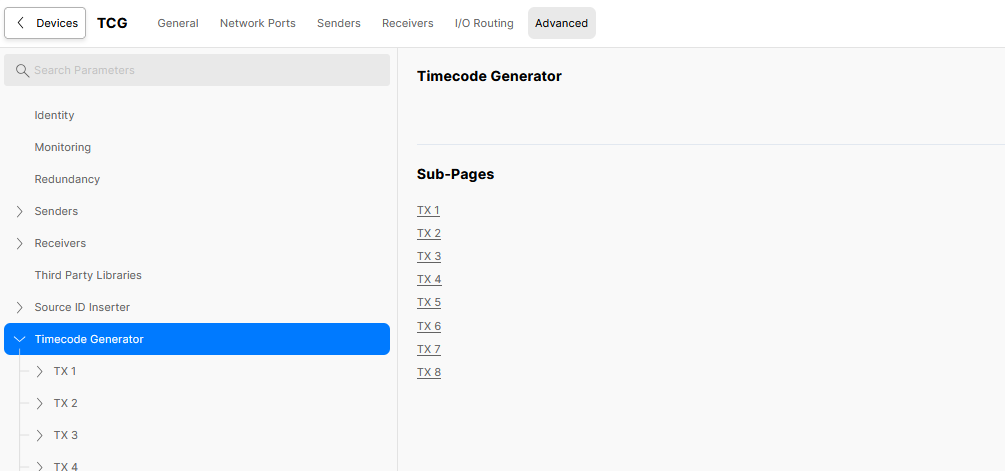
The Advanced → Timecode Generator menu provides access to the timecode generator controls for each available sender (from 1 to 8).
There is a main page (with no parameters), plus a sub-page for each available sender.
Please note: The number of senders is defined by the Number of Output Streams and Output Meta Transport options in the app configuration.
This topic describes all possible controls.
Timecode Generator
There are no global controls on the 'Timecode Generator' page.
Instead, the sub-pages provide access to the timecode generator controls for each of the 2110-40 senders provided by the app.
Each sender can be configured independently, and can transmit timecode via a ST 2110-40 (Meta) stream.
Timecode Generator → TX n
Clicking through to the 'TX n' sub-menu opens a list of controls to configure the timecode generator for that sender.
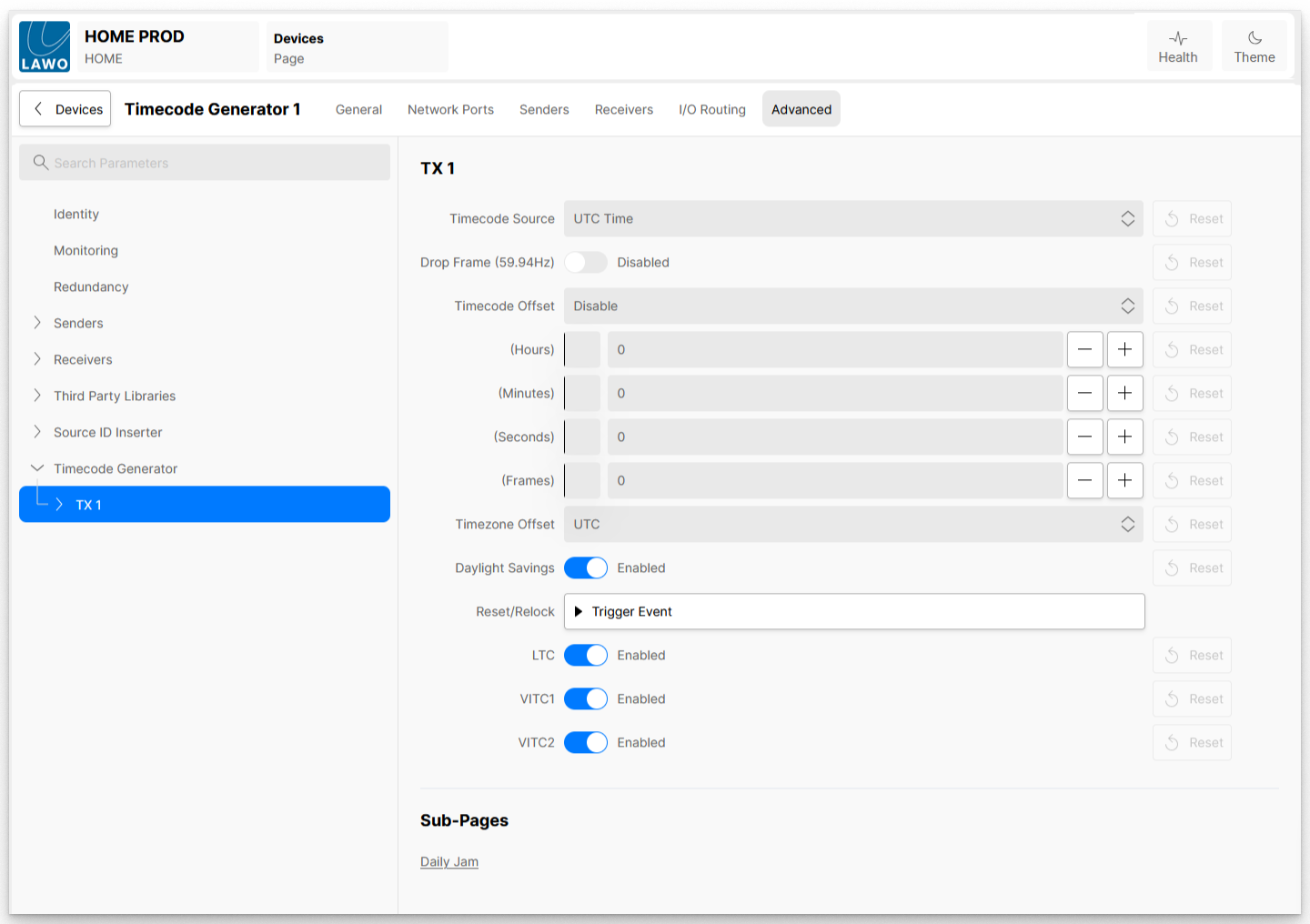
| Control | Description |
| Timecode Source | Selects which source of time the app should use; available options are:
|
| Drop Frame (59.94 Hz) | This control applies if a Scan Rate of 59.94 Hz is configured in the app configuration, and determines whether the generated timecode is set to Drop Frame mode or not.
|
| Timecode Offset | Enables or disables any time offset configured in the (Hours), (Minutes), (Seconds) and (Frames) controls. The possible options are:
|
| (Hours) | Sets the number of Hours by which the current time being received by 2110-40 receiver, as per the Timecode Source control, is being offset. |
| (Minutes) | Sets the number of Minutes by which the current time being received by 2110-40 receiver, as per the Timecode Source control, is being offset. |
| (Seconds) | Sets the number of Seconds by which the current time being received by 2110-40 receiver, as per the Timecode Source control, is being offset. |
| (Frames) | Sets the number of Frames by which the current time being received by 2110-40 receiver, as per the Timecode Source control, is being offset. |
| Timezone Offset | Allows the user to quickly apply an offset, based on global timezones. |
| Daylight Savings | This control applies when a Timezone Offset is selected and when the selected timezone is within a daylight saving period. In this instance, it enables the additional Daylight Saving offset or not. |
| Reset/Relock | If the Timecode Source is set to 'free-run', then this control resets the time to 00:00:00:00. In all other cases, the control forces the app's internal clock to relock to the current time being received by the 2110-40 receiver. |
| LTC | When enabled, LTC timecode data is included in the 2110-40 stream generated by the app |
| VITC1 | When enabled, VITC field 1 data timecode is included in the 2110-40 stream generated by the app |
| VITC2 | When enabled, VITC field 2 (if applicable) timecode is included in the 2110-40 stream generated by the app |
Daily Jam
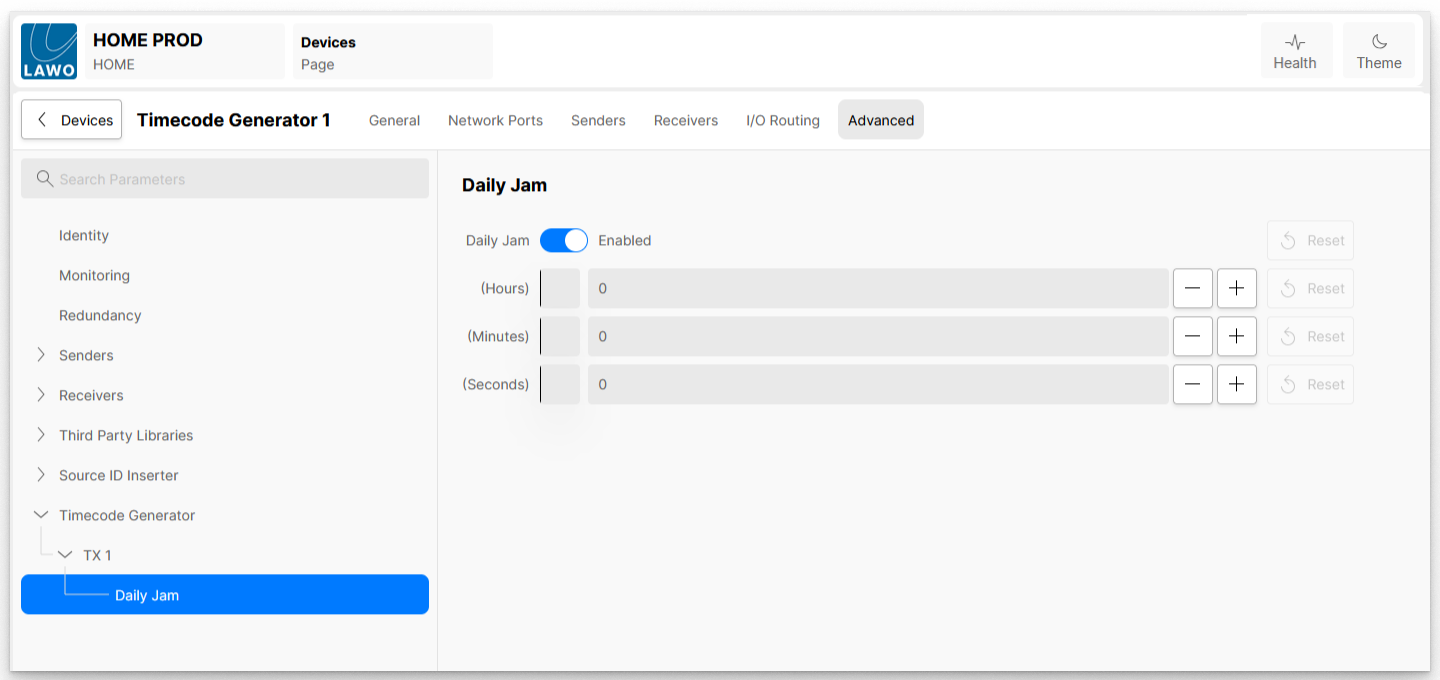
The 'Daily Jam' sub-menu provides access to a further set of controls.
When generating non-integer based timecodes (eg, 29.97, 59.94), Drop-Frame timecodes are used. This does not mean that frames of video are dropped, but instead that the timecode skips a couple of counts every ten minutes except every tenth minute.
When working at 29.97 frames-per-second, in any given time code hour (eg 00:00:00:00 to 01:00:00:00), there are 107,892 frames counted, however, due to the framerate being non-integer, there are approximately 107,892.108 frames per hour.
As you can see, the Drop-Frame algorithm does a good job of compensating for the drift between timecode and ‘real’ time, but is not perfect, leaving this 0.108 offset, this offset accumulates over a day and ultimately, after 24 hours results in an offset of approximately 2.6 frames.
It is for this reason that Timecode generators need to ‘ReJam’ (re-sync) themselves back to ‘real’ time. This re-jam is usually done at midnight. However, a television production could start before midnight and end after midnight, re-jamming the timecode during this production is far from ideal, any recordings of the production would then contain inconsistent timecode.
The Daily Jam control allows the customer to define the time of day when the re-jam occurs. Each timecode generator serviced by the app can be set independently.