vsmStudio - Size and Options

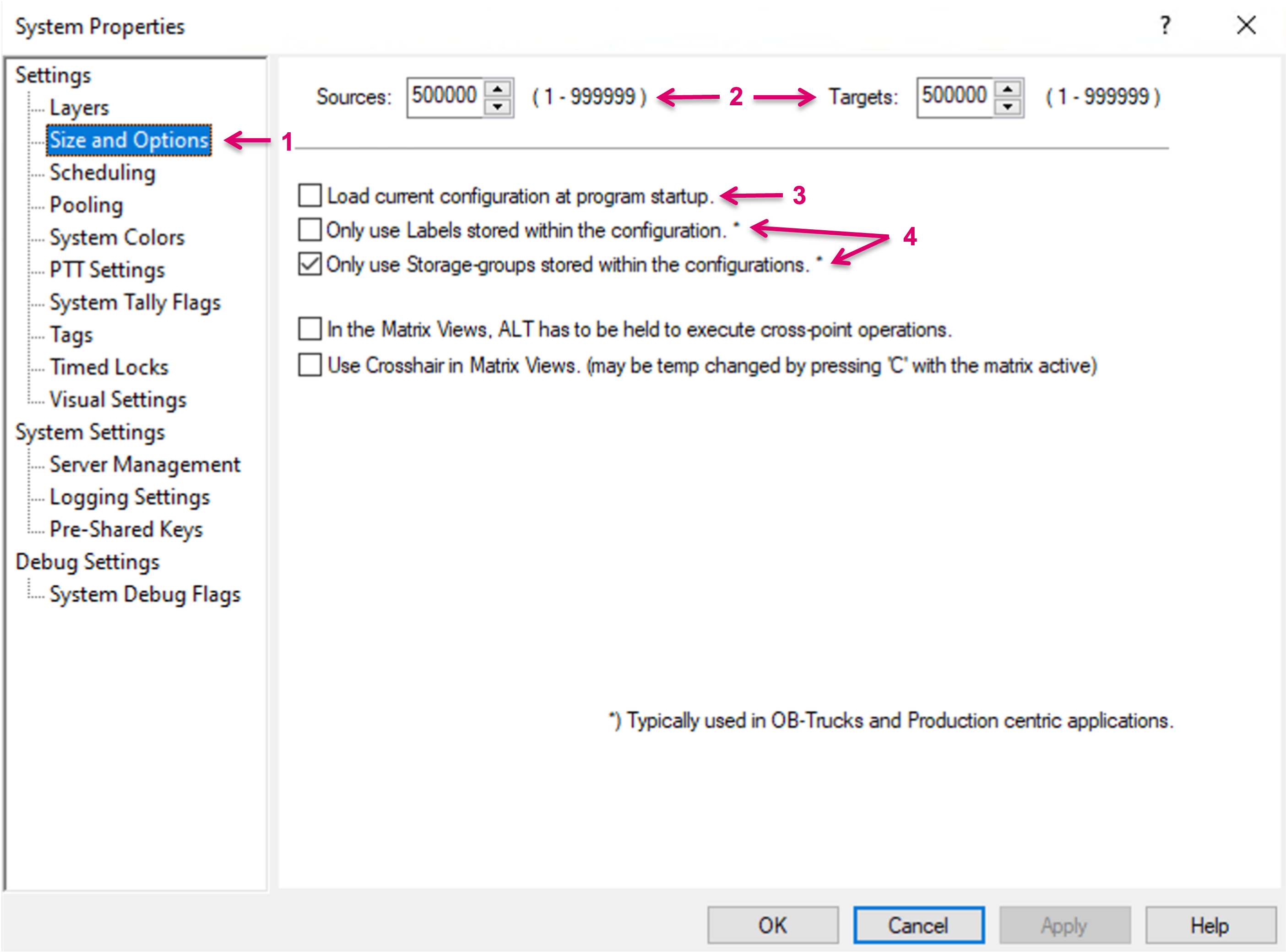
The Size and Options tab (1) provides general configuration settings.
The number of Sources and Targets (2) describes the size of the systems "Primary Virtual Matrix".
The option "Load current configuration at program startup." (3) allows this configuration to be loaded automatically once vsmStudio is started. This option is recommended for Single Server installs only and in general must be handled with care. In Cluster applications it may interfere with the Cluster redundancy and if this checkmark is set on a previously stored file version of the configuration that is currently worked on, after a restart a wrong or undesired configuration may be loaded. Changing this setting requires saving the Configuration afterwards. vsmStudio will load the last configuration on which the attribute was activated until it is set and saved within another configuration file.
The options "Only use Labels stored within the configuration." and "Only use Storage-groups stored within the configurations." (4) are related to the preferred operational mode of the control system. We differentiate between a rather static where resources usually are always identified as the same, and more dynamic systems, like an OB truck, where every day a new Production type requires, e.g. different labelling of same resources.
If the system is operated e.g., in an OB-Van, the options "Only use Labels stored within the configuration." and "Only use Storage-groups stored within the configurations." (1) are recommended to be checked. If both attributes are checked, labels and storage groups are saved within the configuration file.If the entire system is operated in a Datacenter or Studio-Facility, these attributes may not be applicable and should not be selected. Then, the system will not only save labels and storage groups within the configuration, but also create additional files locally on the server. These files can be found in the vsmStudio subfolder Storage. This ensures that only the newest labels and storage groups are used during studio operations, independent of the configuration currently loaded.
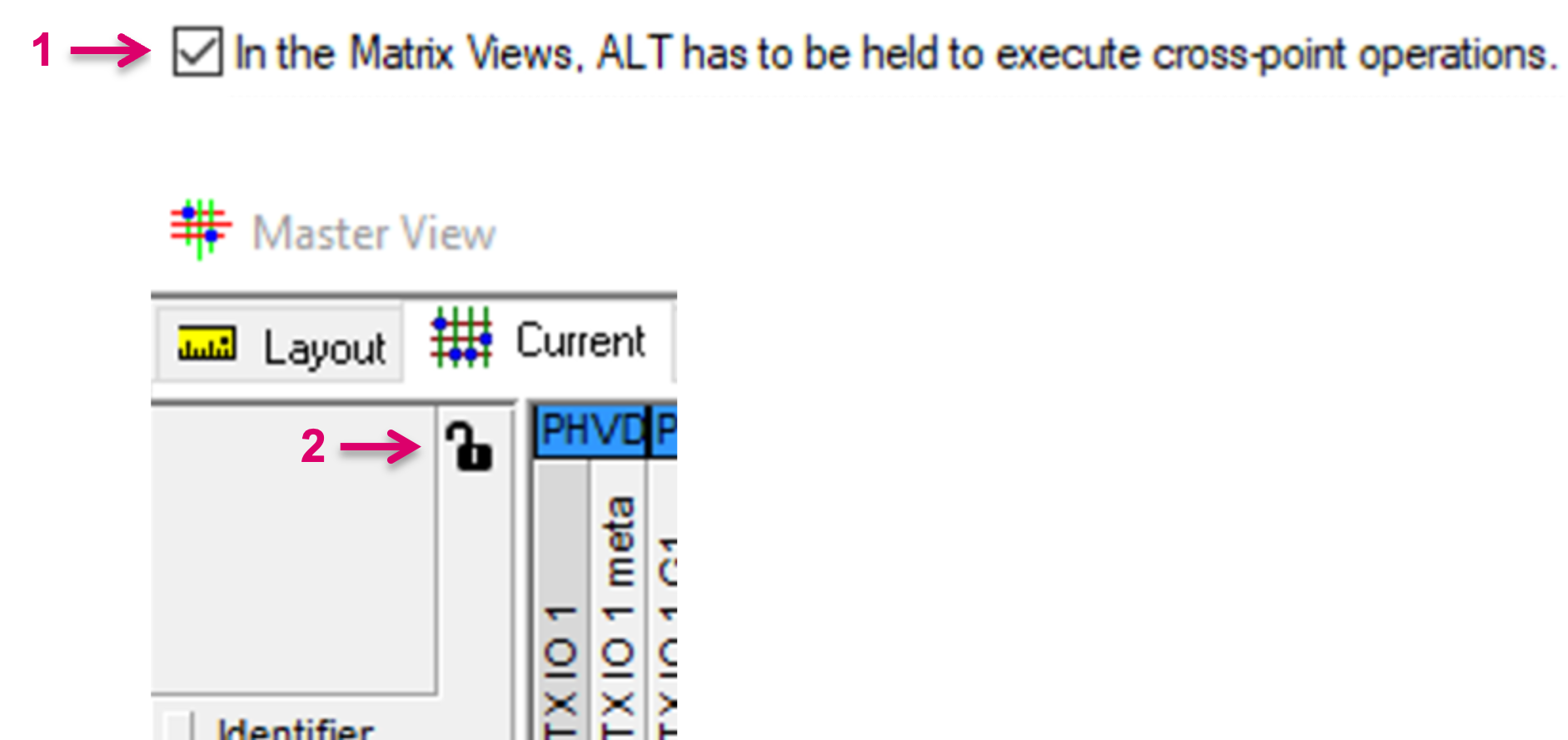
The option "In the Matrix Views, ALT has to be held..." (1) adds an additional safety level for the execution of crosspoints in the Matrix view, beyond the well-known general Lock (2). It may help to prevent undesired crosspoint changes when accidentally clicking the left mouse button while hovering over the Matrix view.
The option "Use Crosshair in Matrix views..." (1) was implemented as a convenience and safety feature. If hovering with the mouse cursor over the Master Matrix it helps to see the actual focussed crosspoint, on top of the already highlighted Source and Target row/column. If this option is checked, it is possible to disable and enable the Crosshair (2) by pressing "C" on the keyboard, while the Matrix view is open.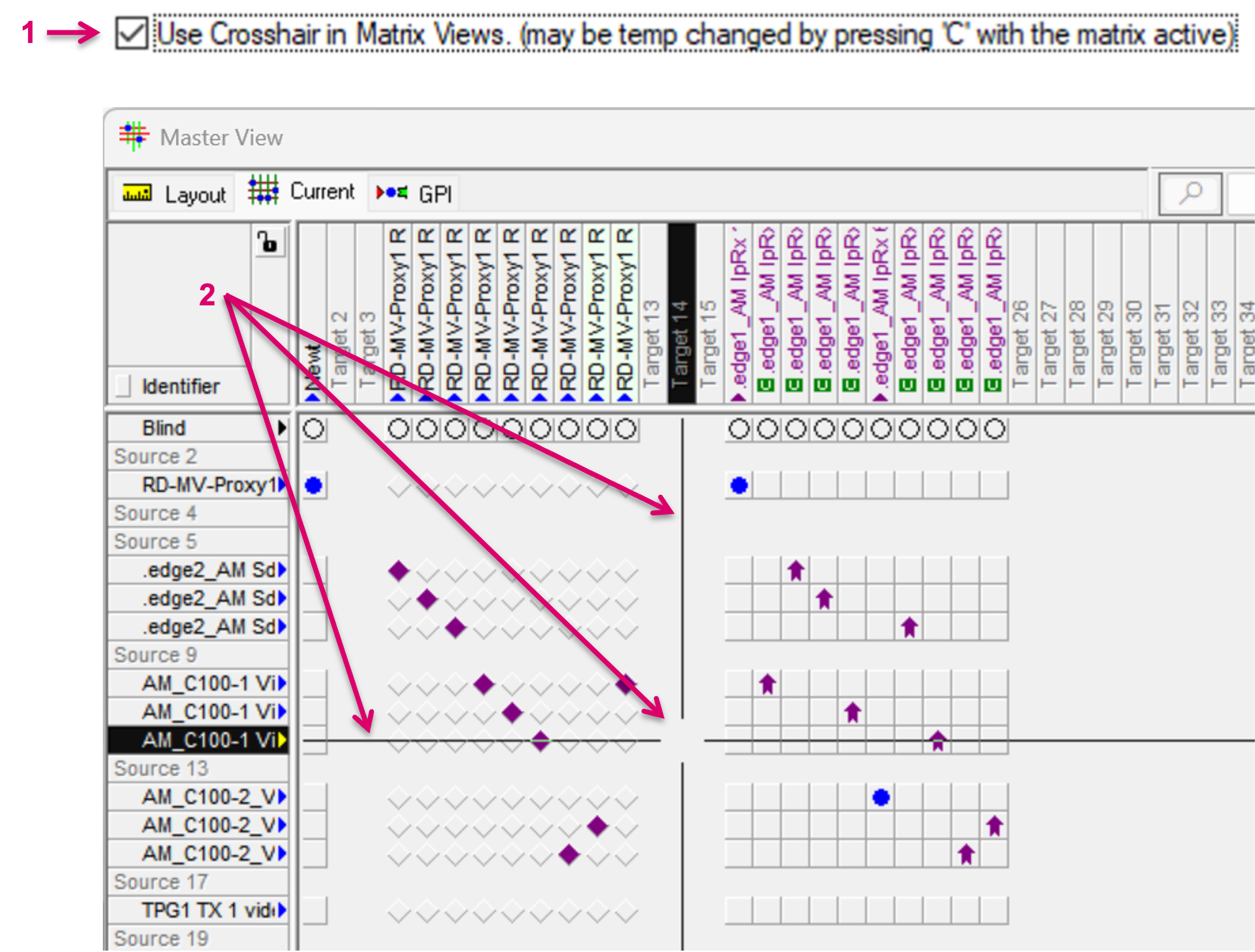
Confirm any settings with OK (1).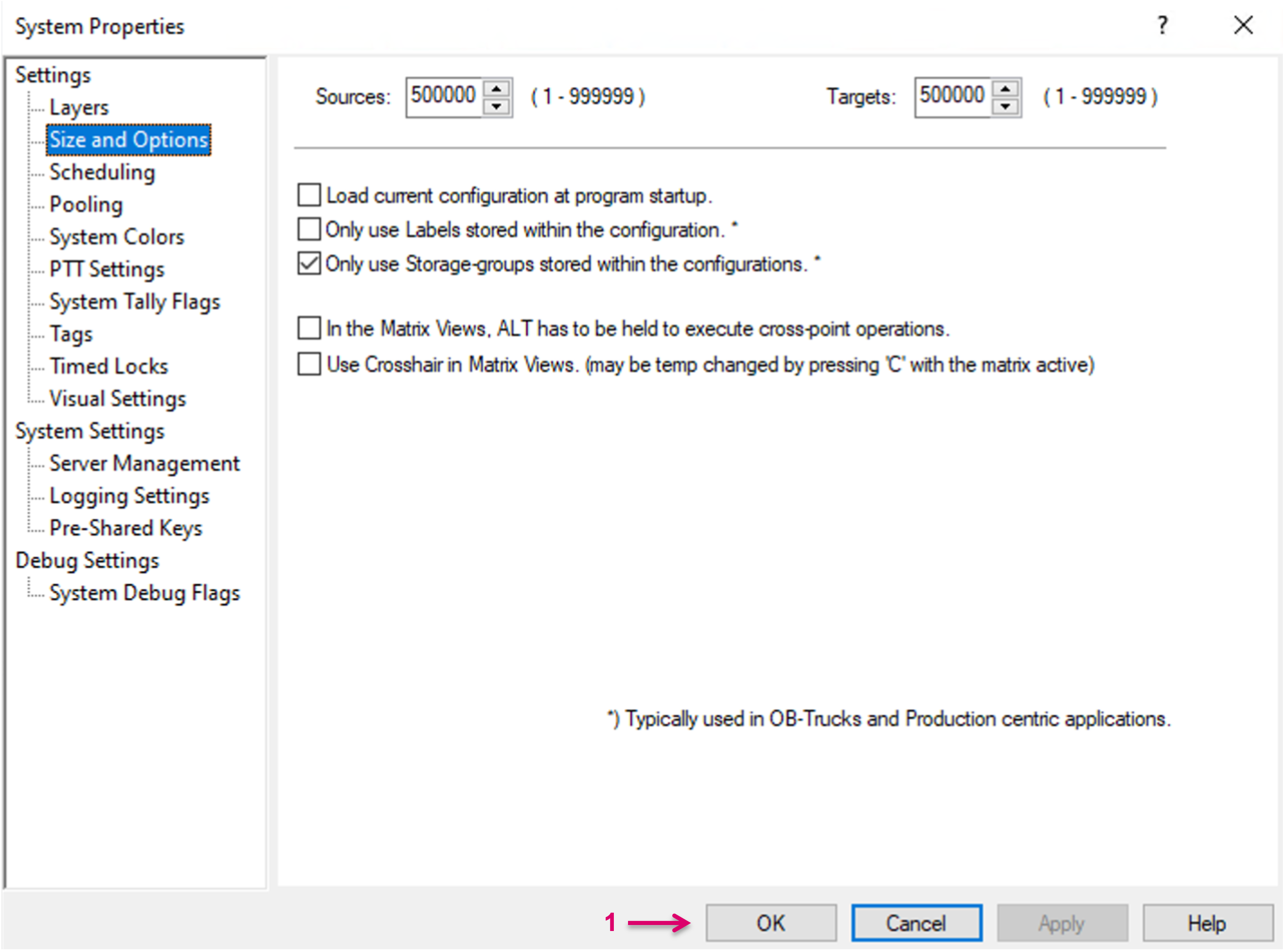

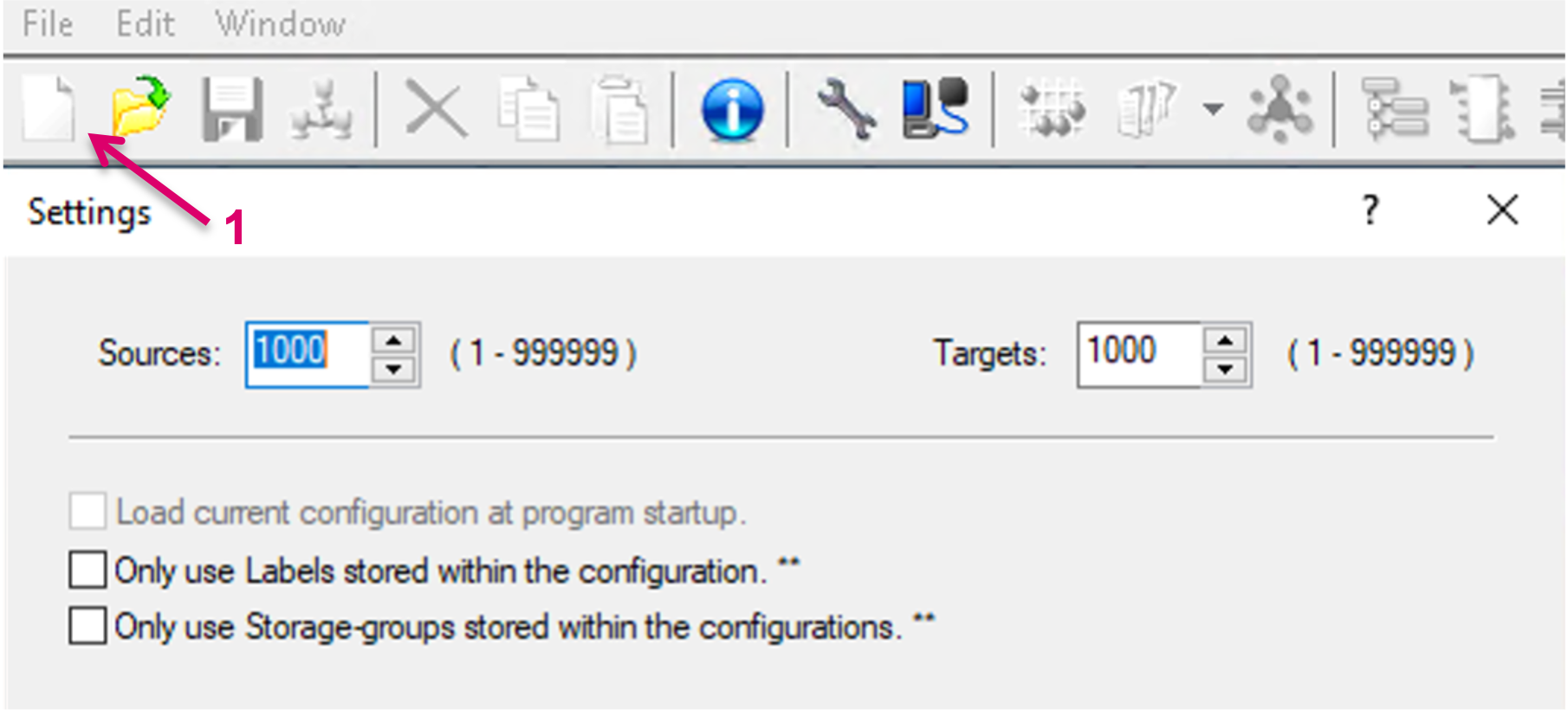
Some of the settings described here are also part of the conducted configuration process when starting a new Configuration (1). vsmStudio - Configuration Settings