HOME - Licenses page
The 'Licenses' page (in HOME) provides a comprehensive overview of the Flex licenses managed by the HOME system.
The overview applies to all license types supported by the Lawo Flex Licensing model. Note that this includes HOME system-specific licenses (such as HOME Passes and NMOS Importer/Exporter/Proxy), plus device-specific licenses (such as the functionality licenses for HOME Apps).
In each case, the licensing can be achieved using perpetual licenses (of a certain type), an equivalent amount of credits (assigned from a Lawo Flex subscription), or a mixture of both: perpetual licenses + credits.
The user can check what is available (and in use) for the entire HOME system by opening the 'Licenses' page and choosing one of the menu tabs: Perpetual or Credits.
Perpetual (tab)
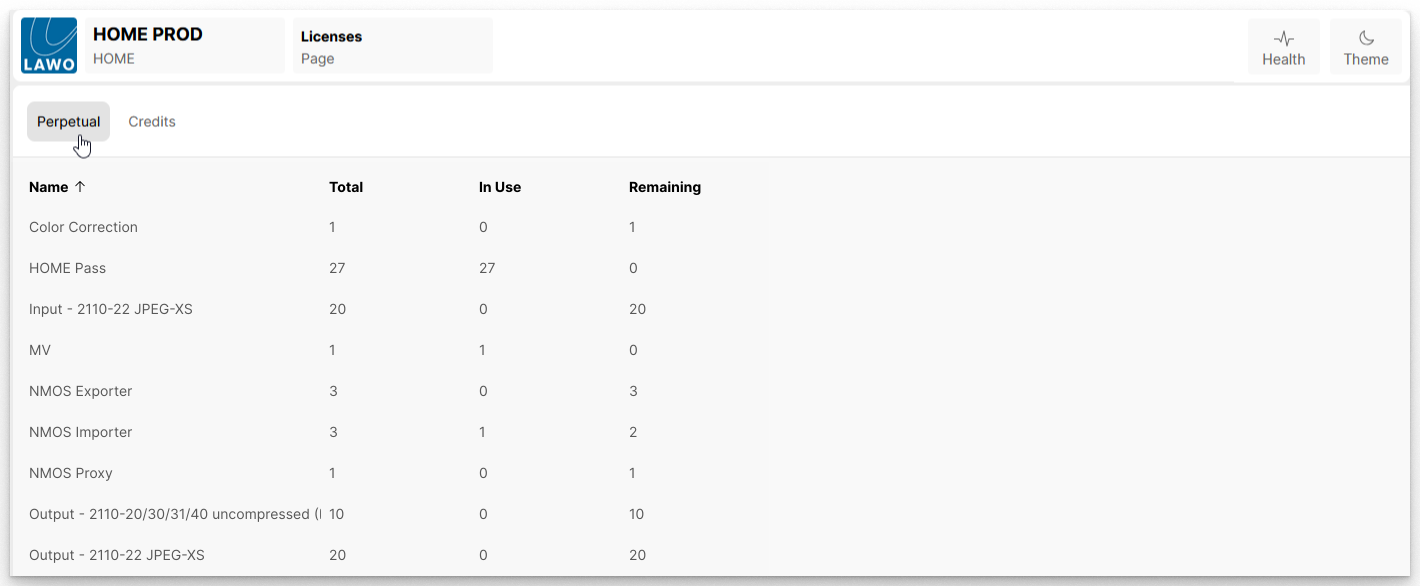
The Perpetual tab lists all of the perpetual licenses that are managed by the HOME system.
Perpetual licenses provide permanent access to specific functionality of HOME or HOME Apps. Once assigned to a specific HOME system, the perpetual license is locked to that system and cannot be moved.
The Perpetual tab shows the Total number of available license types (by Name), the number In Use and the number Remaining.
To add more perpetual licenses to a HOME system, you will need to order the relevant licenses and then upload the new licensing (*.lic) files. More information can be found in HOME - Managing Perpetual Licenses.
Credits (tab)
The Credits tab shows an overview of all credits that have been assigned to the HOME system from one or more Lawo Flex subscription(s).
Credits are not bound to any to any particular device or function, and can be assigned to any HOME system that is linked to the customer's Lawo Flex account.
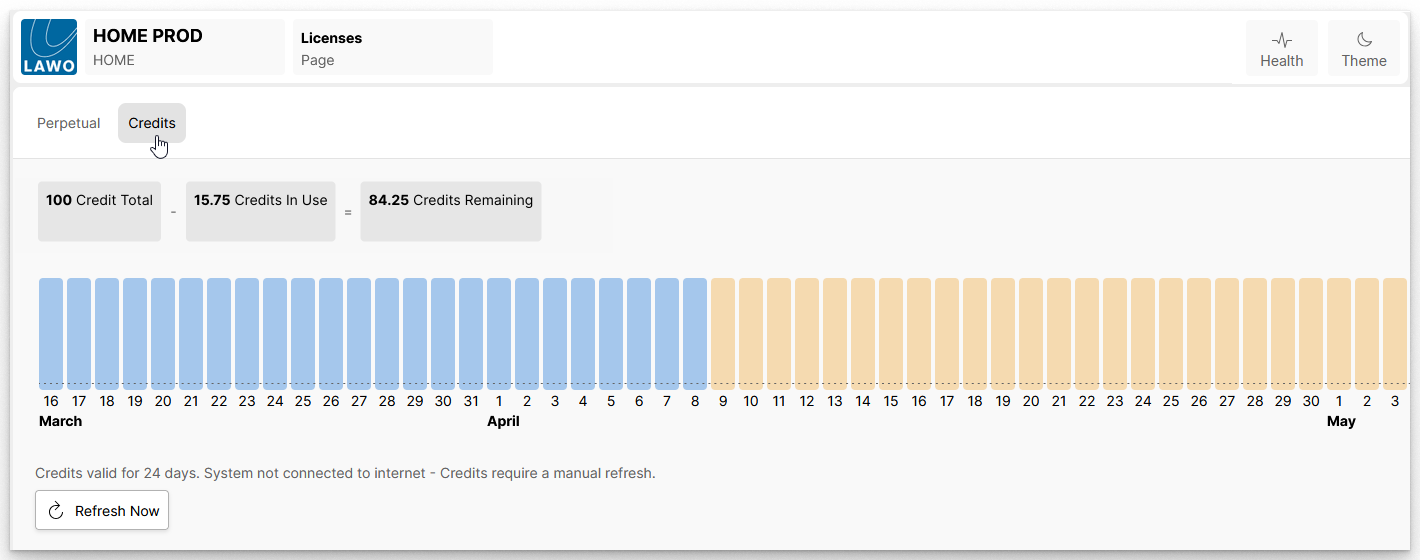
The Credits tab shows the total number of credits assigned to the HOME system (Credit Total), plus how many are In Use and Remaining.
How to manage the credits assigned to a HOME system is described in HOME - Managing Credits. For now, it is useful to know that:
Credits can be assigned to HOME in values following a 0.25 granularity.
The bargraph shows a visualization of the available credits over time, where the day and month are indicated on the X-axis. In the example above:
- Blue bars indicate the overall credit balance until the day of renewal.
- Yellow bars indicate that the underlying subscription allows for a next lifecycle, after the renewal date.