The Advanced → Enhancer Controls menu relates to the 'Image Enhancer' function of the UDX.
This function is optional and so the menu only appears once the Image Enhancer add-on is enabled in the app configuration. All controls are displayed on a single page; there are no sub-pages.
Image Enhancer
The Image Enhancer function of UDX is used to a sharpness filter to the video passing through the app, similar to sharpness filters found in domestic Television sets.
The filter detects 'edges' between objects and processes the video to make those edges appear sharper or more defined.
Enhancer Controls
Once the Image Enhancer add-on is enabled in the app configuration, the Advanced → Enhancer Controls menu provides two controls.
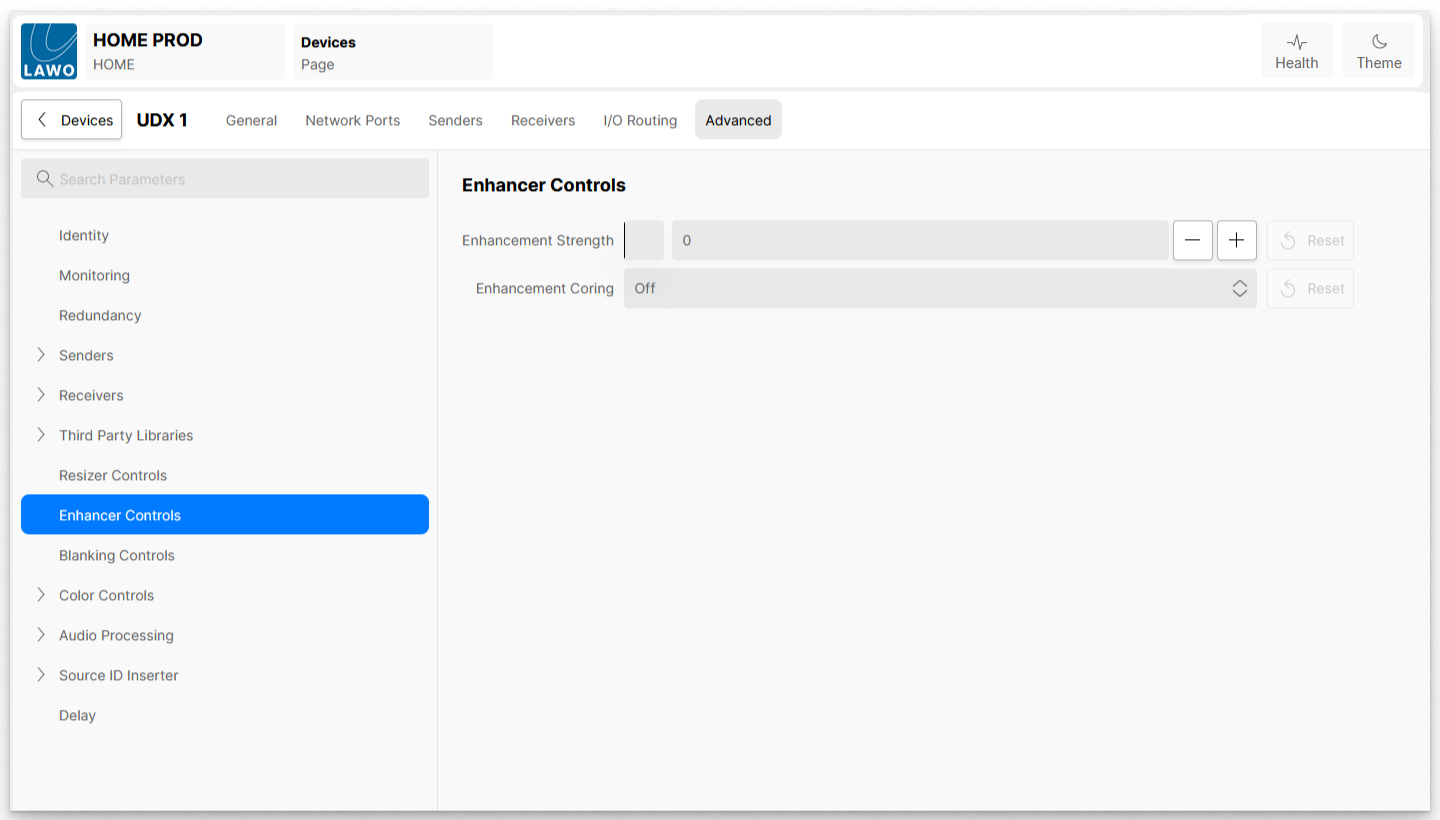
| Enhancement Strength | Controls the amount of enhancement applied. The larger the value set, the more enhancement is applied. |
| Enhancement Coring | Determines the amount of enhancement coring used as part of the edge detection process. This control works as follows. In everyday television pictures, there will be a mixture of very clearly defined edges and some very subtle edges, and some inbetween. Coring is a mathematical function which helps determine which edges get enhanced and which do not: - Off - no coring function is applied.
- Low - only the most subtle edges get ignored and are not processed / enhanced.
- Medium - Less subtle edges also get ignored and are not processed / enhanced.
- High - Only the most clearly defined edges are processed /enhanced, everything else is left unprocessed.
|