HOME DSK - Keying Modes
Each keyer in the HOME DSK can be set to one of three keying modes: Luma, Linear or Self-Key.
The mode can be set independently for each keyer using the Key Type option (in the Advanced → Video Keyer Controls):
- Luma - typically used for Key signals that are constant or have hard edges.
- Linear (alpha) - designed for Key signals that have soft edges, drop shadows and transparency.
- Self-Key - similar to Luma keying but instead of using a dedicated generated Key signal, the Keyer processing uses the Luminance values of the Fill signal as the Key source.
This topic describes each mode in more detail.
Key Type = Luma
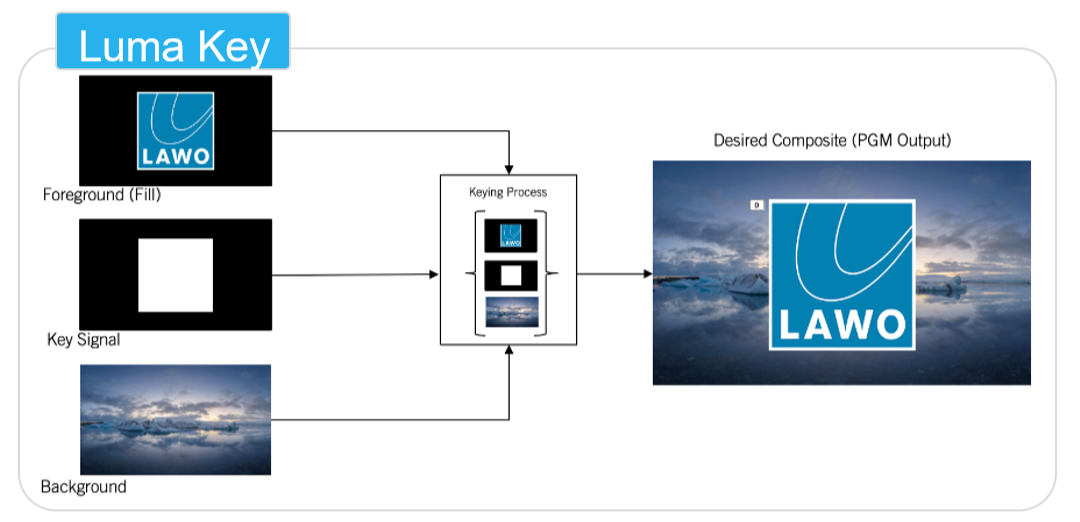
Luma keys are best used to overlay graphics over a background, when the ‘area of interest’ has clean edges. Traditionally, the key channel fed into a Luma keyer is monochromatic (black and white). Any areas of the Fill channel where the corresponding area in the Key channel are white are kept, all other areas of the Fill are discarded. The DSK's luma keyer is able to accept a greyscale source on its input and, by default, will treat any areas 50% grey or above as ‘white’, i.e. these areas are kept, all others are discarded.
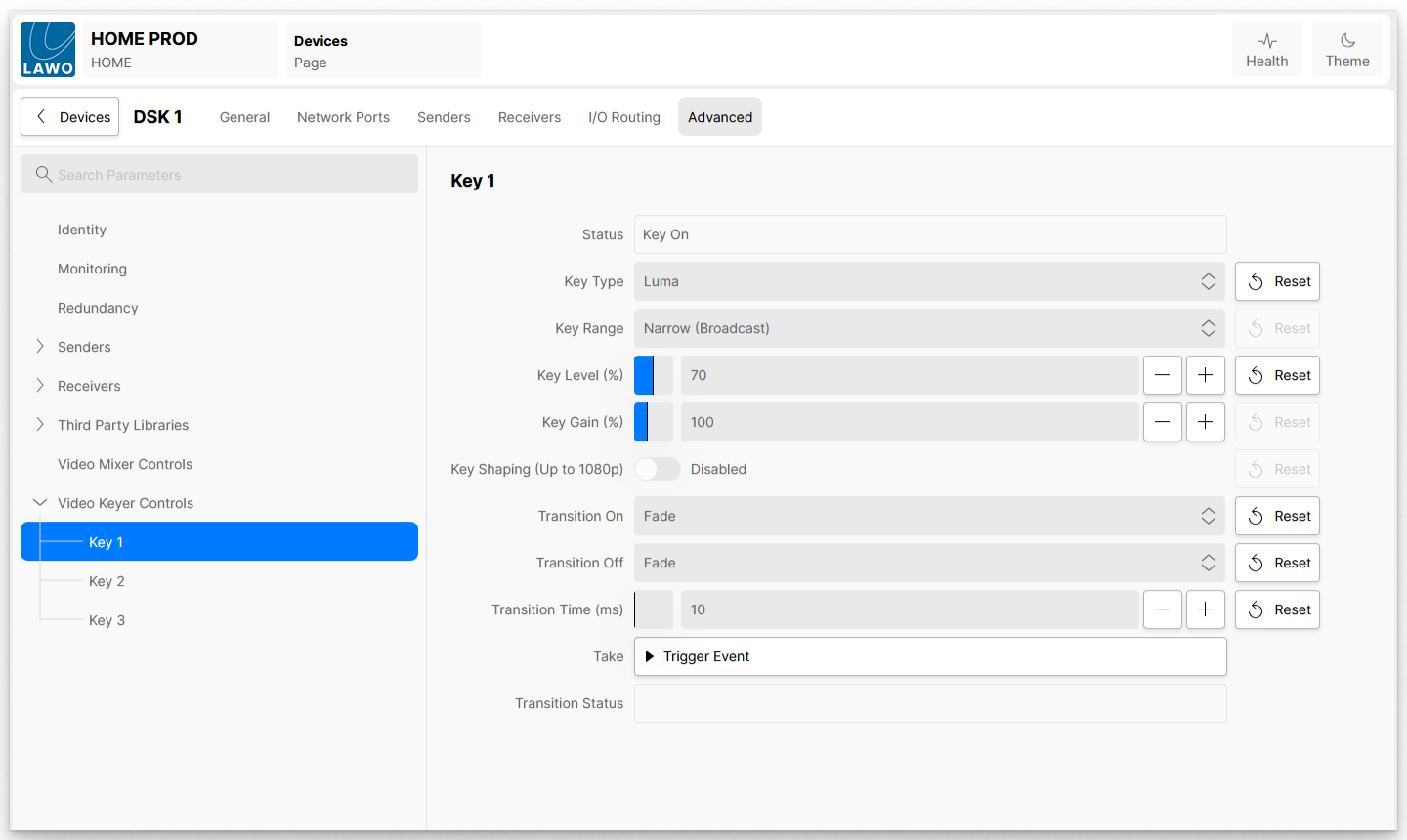
The DSK provides a Key Level control to allow the user to define this cut-off point, For example, when the Key Level is set to 70%, areas of 70% luminance and above are kept.
While a Luma keyer works well for Key channels with clean edges, this mode is not great for dealing with soft edges or drop shadow / transparency. If the Fill contains bright areas with soft edges, such as smoke, then using a Luma keyer will result in unwanted hard edges around the smoke.
Key Type = Linear (Alpha)
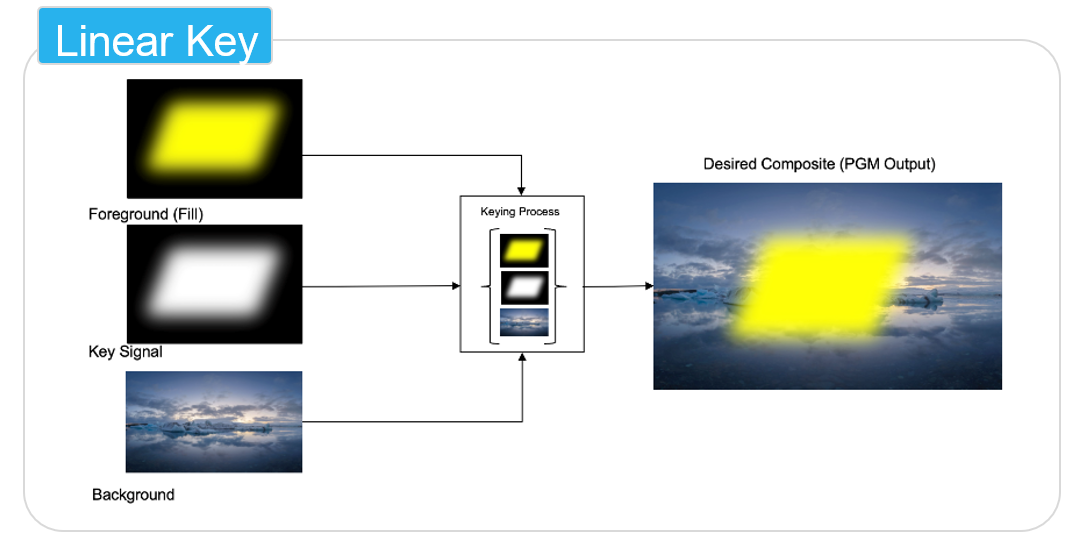
To achieve a smoother result for Key/Fill signals that have soft edges or drop shadow / transparency, it is recommended to use a Linear keying mode.
When the Key Type is set to Linear, all luminance values of the Key channel between black and white are used to control the mix of the Fill and the background layers. The higher the luminance of the Key channel area, the more dominant the Fill layer is over the background.
In this instance, the Key Level control allows the user to adjust the mix of the Fill and Background layers. For example:
- Where the Key Level is 100%, 100% of the Fill layer is used over the background.
- Where the Key Level is 0%, there is no Fill layer used over the background.
- Where the Key Level is 50%, there is a 50/50 mix between the Fill and background.
Key Type = Self Key
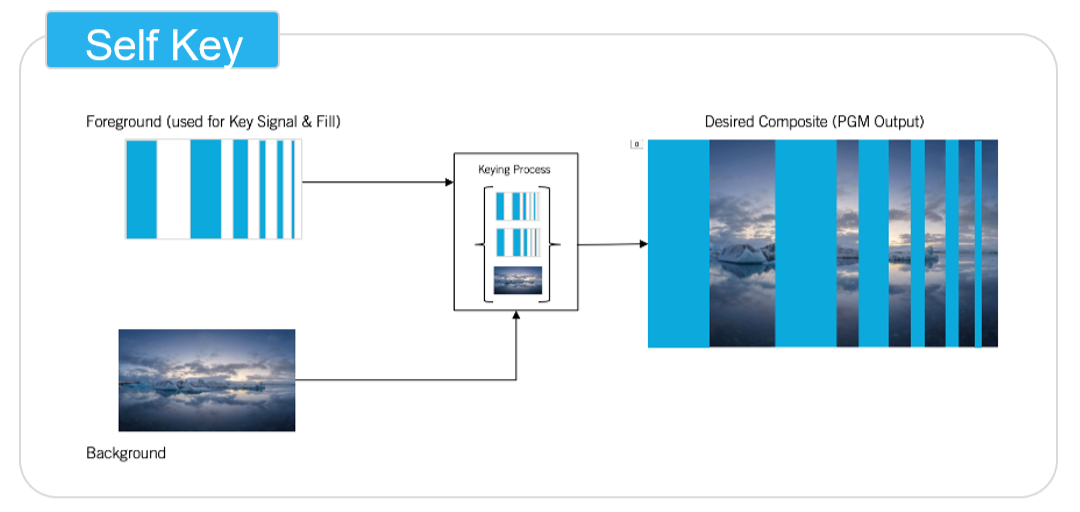
The Self-Key mode is provided for the occasions where there is no separate Key channel available. Instead the luminance levels in the Fill channel itself is used as a key. This key, generated from the Fill channel is then used as a Luma key.
This mode is often used when a video stream containing just graphics over a black background (for example a lower third) is to be keyed over a background. The user can set a very low Key Level value (near to black). This results in anything above that almost black level being kept (and used in the composite), while everything else is discarded (and not used in the composite).