HOME DSK - Advanced -> Video Mixer Controls
The Advanced → Video Mixer Controls allow the user to control the A/B mixing between the two video background sources.
All controls are on a single page; there are no sub-pages.
From here, you can trigger the background layer transition, set the transition type and adjust the transition time in milliseconds.
For more information about the functionality, please see HOME DSK - A/B Mixing.
Please note : When a video transition is started, the audio remains unchanged.
Video Mixer Controls
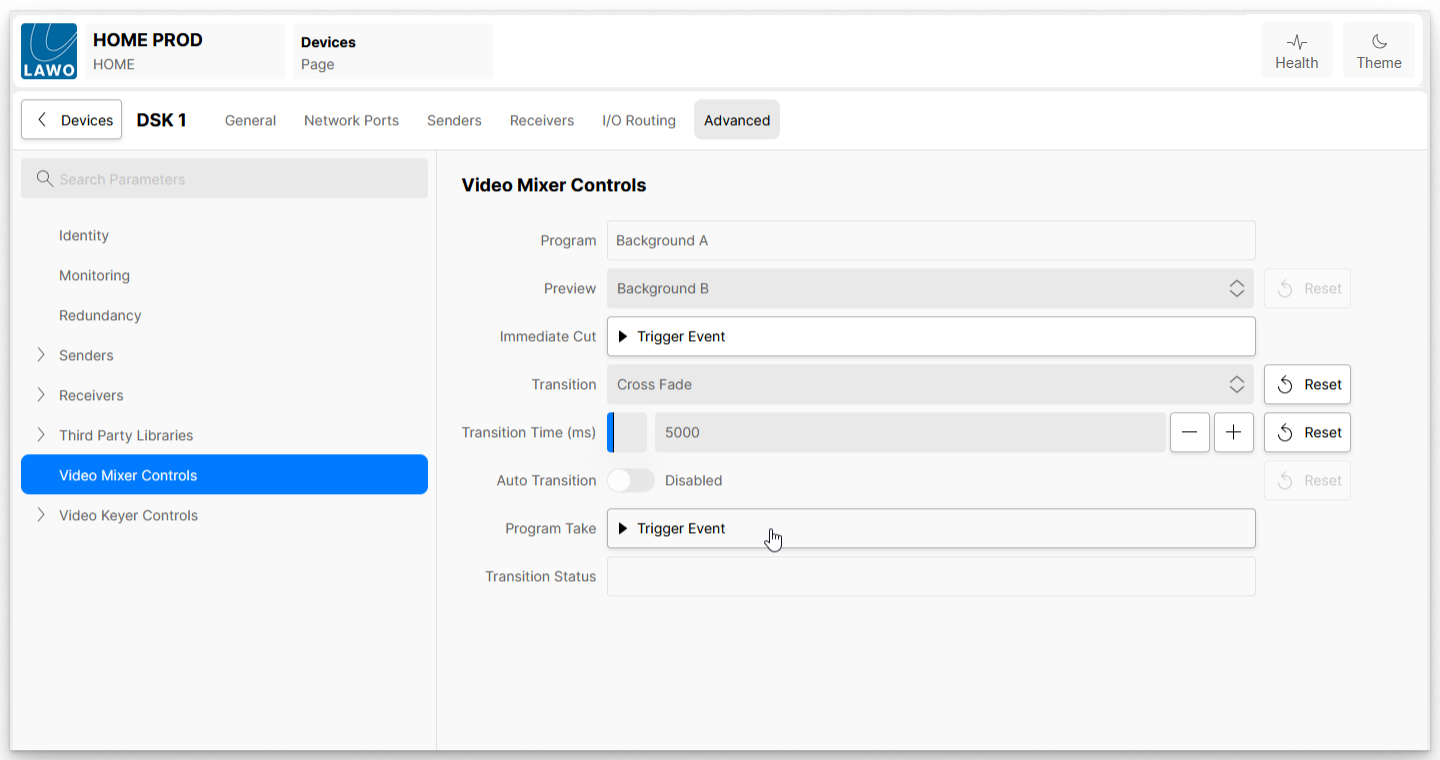
| Control | Description |
|---|---|
| Program | Displays which background video source is currently on the Program output: either Background A or Background B. The current source can be changed using the Program Take function. |
| Preview | Displays and controls which background video source is currently on the Preview output: either Background B or Background A. The current source can be changed using the Program Take function. In addition, the Preview output can be forced to particular Background source by making a selection from the drop-down menu. |
| Immediate Cut | When the ‘Trigger Event’ button is pressed, the video source on the Preview output cuts to the Program output, and the video source on the Program output cuts to the Preview output. This happens immediately, regardless of the Transition type. This function provides a useful emergency cut. |
| Transition | Defines the type of transition applied (to the video background layer) when a Program Take is triggered. The available options are:
|
| Auto Transition | See Auto Transition. |
| Transition Time (ms) | Sets the duration of the transition in milliseconds (for 'Fade' transitions). The value can be set from 10 to 30000 milliseconds (0.1 to 30 seconds). |
| Program Take | When the ‘Trigger Event’ button is pressed, this starts the prepared transition between the two video background sources. |
| Transition Status | Displays the status of the transition, while the transition is in progress. e.g. Background A > Background B. |