It is recommended to stop apps that are not in use for the following reasons:
- The server capacity (and licenses) can be reused.
- Power consumption of the server(s) will be reduced.
When an app is stopped, the server capacity and licenses/credits are returned to the system. This allows you to start a different app instance. Or, in the case of Lawo Flex credits, start a different app or function, or revoke the credits (so that they may be used by a different HOME system).
Stopping an app
An app can be stopped from the 'Devices' list (as described below) or from the 'Device → General' settings page (if this is more convenient). When using the 'Devices' list, it is possible to select and then stop multiple apps at the same time.
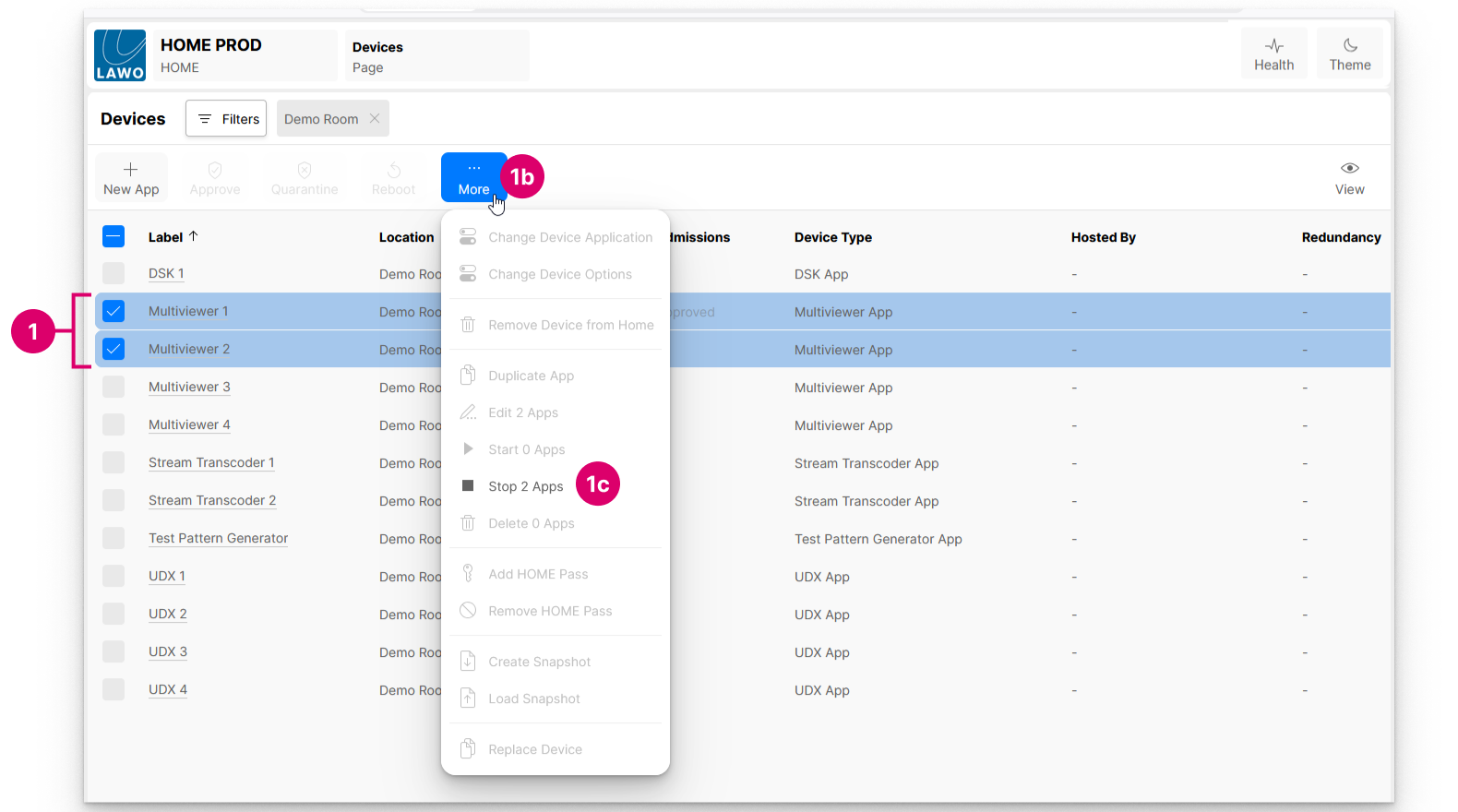
1. From the Devices page, select the app (or apps) you wish to stop.
2. Click on More and choose Stop App (from the drop-down menu).
If more than one app is selected, then the menu option confirms how many will be stopped.
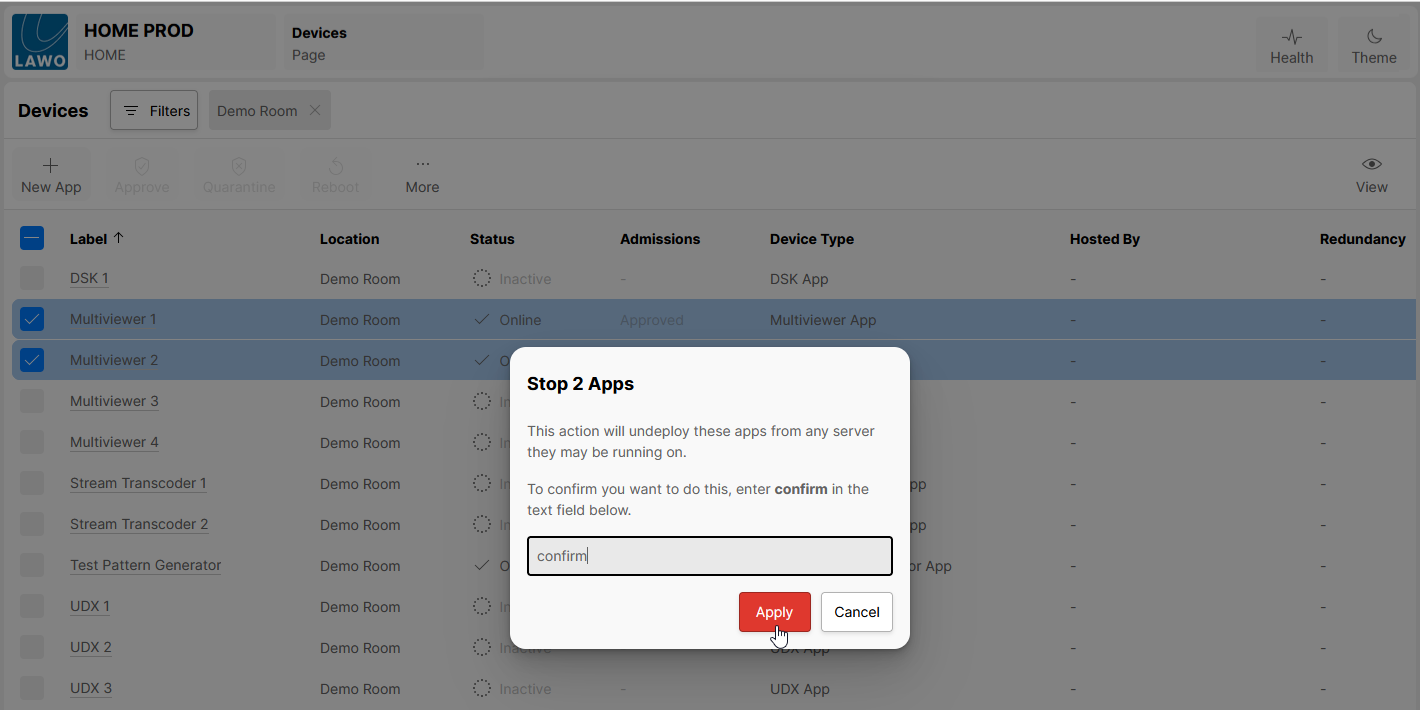
3. Follow the on-screen instructions to confirm.
You must type in the text confirm (in order to select the Apply button).
4. Click on Apply to complete the operation.
Once apps are stopped, their Status updates to show that they are Inactive.
Any perpetual licenses or credits that were in use are now returned to the HOME system. This can be checked/viewed from HOME's 'Licenses' page.
Similarly, the target app server that was in use will now have more capacity to start other apps.