The Identity parameters provide information about the processing blade.
Operation (using HOME)
All available parameters are displayed on a single page.
If a parameter's value can be edited, then a data entry method is provided. Otherwise, the field is for information only. How to edit the values is described
here.
Identity (parameters)
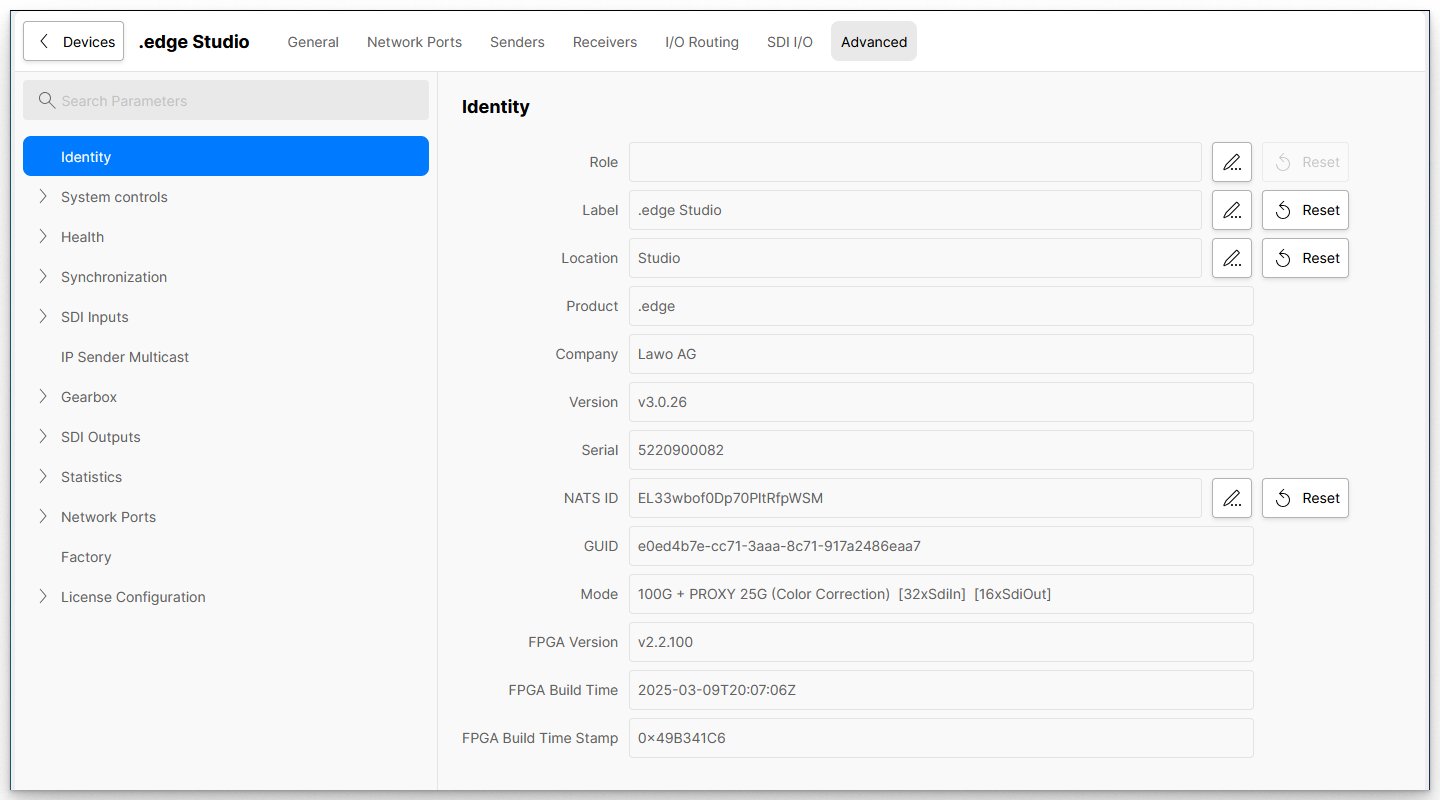
The table below describes all available parameters.
| Advanced (tree path) | Parameter | Possible Values | Description |
|---|
| Identity | Role | Text entry | The first three fields can be set by the user to help identify individual blades. For example: Role = Studio 1 Cameras; Label = Edge1; Location = Rack 3-1. |
| Label | Text entry |
| Location | Text entry |
| Product | Read-only | Displays the type of product, in this case .edge. |
| Company | Read-only | Displays the name of the company who provides the Product, in this case, LAWO AG. |
| Version | Read-only | Describes the software version. |
| Serial | Read-only | Describes the serial number (important for licensing). |
| NATS ID | Text string | Defines the NATS ID. |
| GUID | Read-only | Describes the GUI ID. |
| Mode | Read-only | Displays the current operating mode, as configured by the user. |
| FPGA Version | Read-only | Describes the build version of the FPGA. |
| FPGA Build Time | Read-only | Shows the decoded FPGA Build Time Stamp. |
| FPGA Build Time Stamp | Read-only | Describes the FPGA Build Time Stamp as a hexadecimal code/number. |