vsmWebPanel Server and Client - Installation
Hardware Requirements
The following hardware requirements were specified as a guideline for the installation of vsmPanel Server v1.x.x.
Since the effective requirement very much depends on the actual amount of desired concurrent clients/panels, the complexity of panel layouts as well as the actual parallel operation and frequency, these specs are still based on a very rough estimate.
- .NET 10 compatible OS
- A dedicated machine (virtual or physical) with common web server capacities based on the amount of desired concurrent clients/panels and complexity of the panels.
- E.g., at least 2 CPU cores/ vCPUs and 8 GB of RAM for a number of concurrent clients/ panels in the hundreds, assuming medium activity and panel complexity.
- A scalable solution, like building on a VM system, where processing power can be dynamically assigned, may also be a good approach.
- Good network connectivity (1000 Mbps or more)
- The vsmPanel Server must be reachable by Client machines within the network.
- A vsmWebPanel client can be opened via any system, running a current, modern browser (Edge, Chrome, Safari, Firefox).

Control panels are obviously a crucial element in production workflows, the centralised Server should therefore be handled with respective care. For very small systems with only a few Clients it may be desired and a case-by-case decision to run the vsmWebPanel Server on the same machine as a vsmGadgetServer or vSNMP, but never in parallel on the vsmStudio platform. The general recommendation is, whenever possible, run the vsmPanel Server on a dedicated machine, physical or virtualised.
Installation Procedure
The vsmWebPanel Server is delivered as Release .zip, that contains a Windows Installer Package, vsmPanelServerInstaller.msi (2), and a ReadMe file (3).
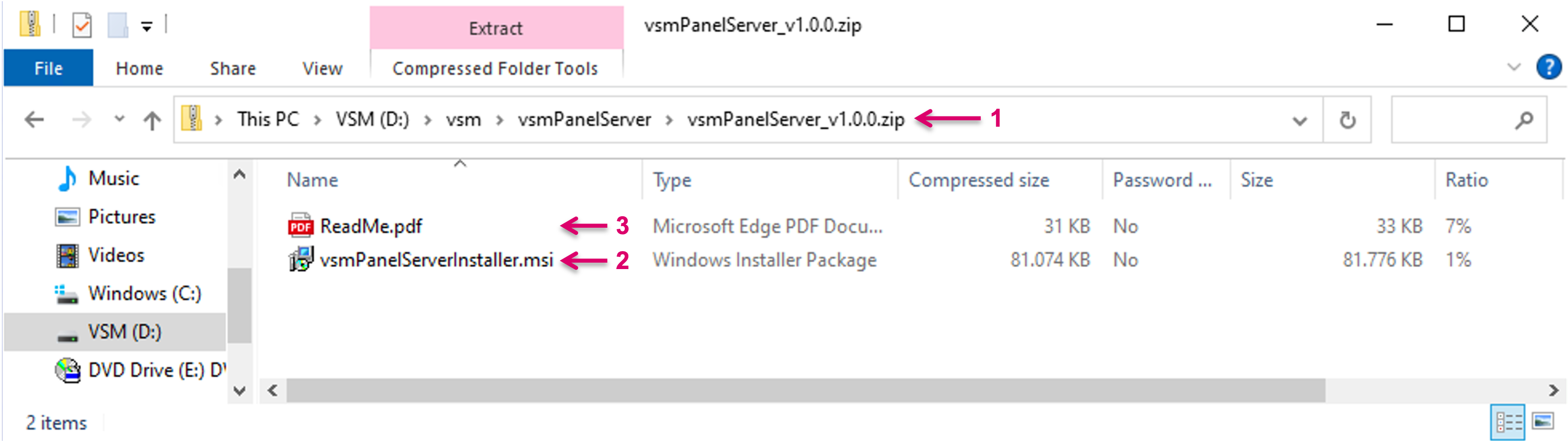
VSM Software can be downloaded from the LAWO Download Center. The vsmPanel Server install requires Microsoft's .NET framework 10. If you get into problems about missing files you may get this software directly from Microsoft here.
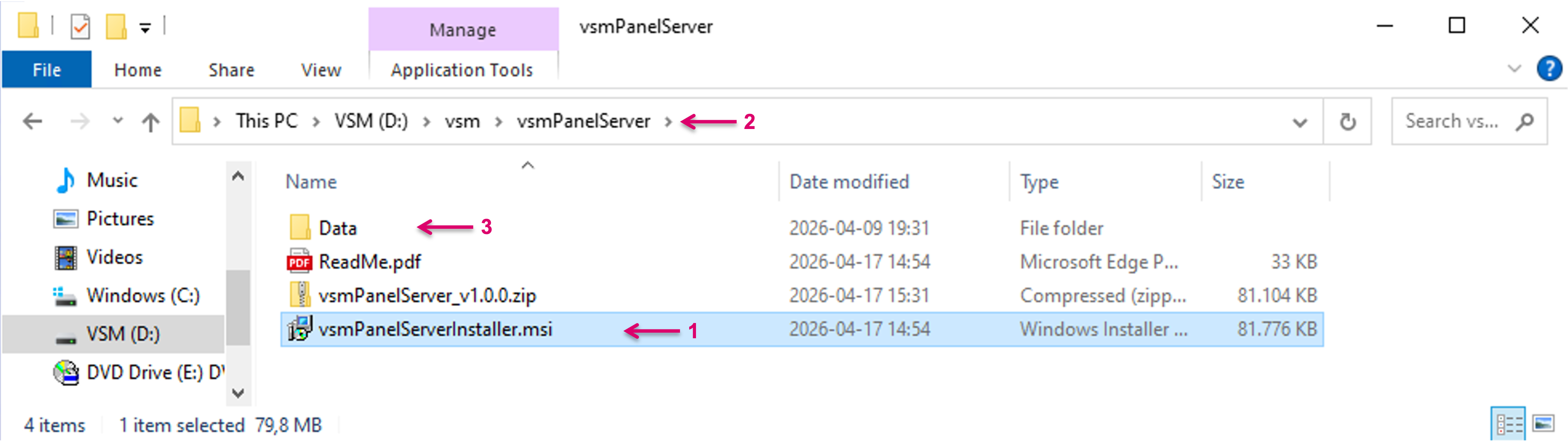
After download, copy the Installer Package (1) to the respective Server or platform. If a previous version was already installed and uninstalled before, the respective same folder may be used. The default path to the folder is D:\vsm\vsmPanelServer (2). The Data (3) folder may still exist from the previous install.
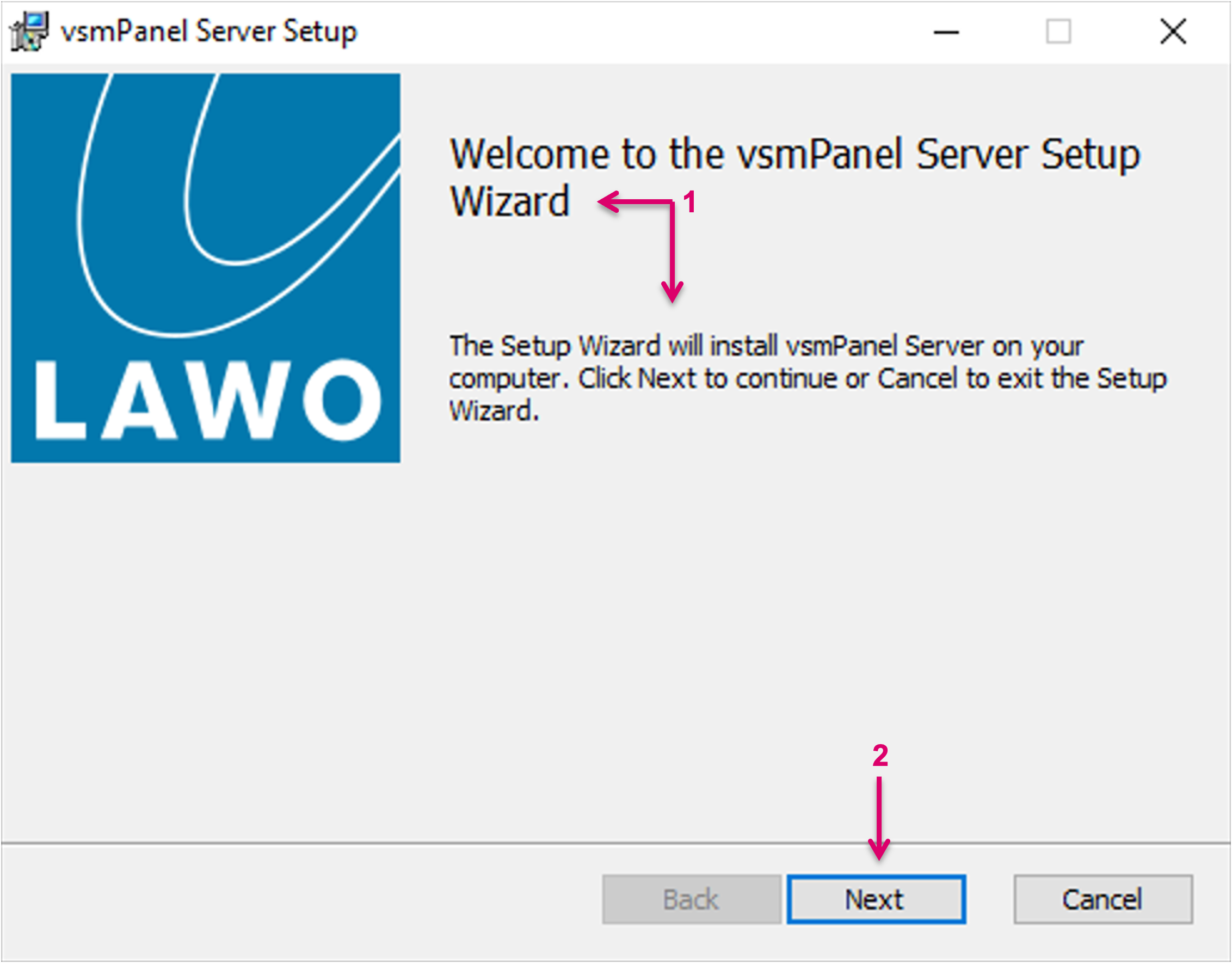
Run the vsmPanelServerInstaller_x64_v1.x.x.msi file and follow the instruction provided by the vsmWebPanel Server Setup Wizard (1). Proceed with Next (2).
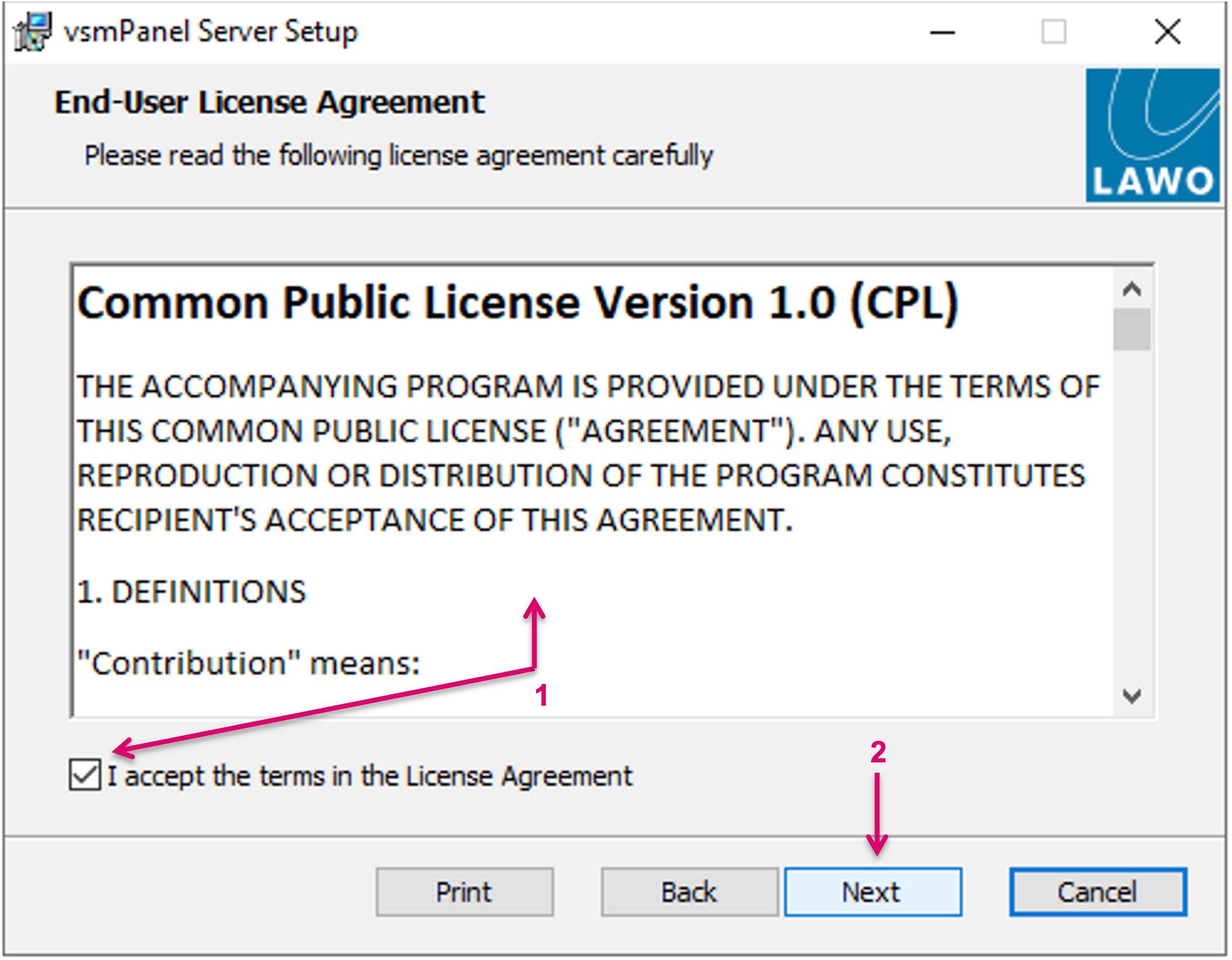
Accept the terms in the License Agreement (1) and proceed with Next (2).
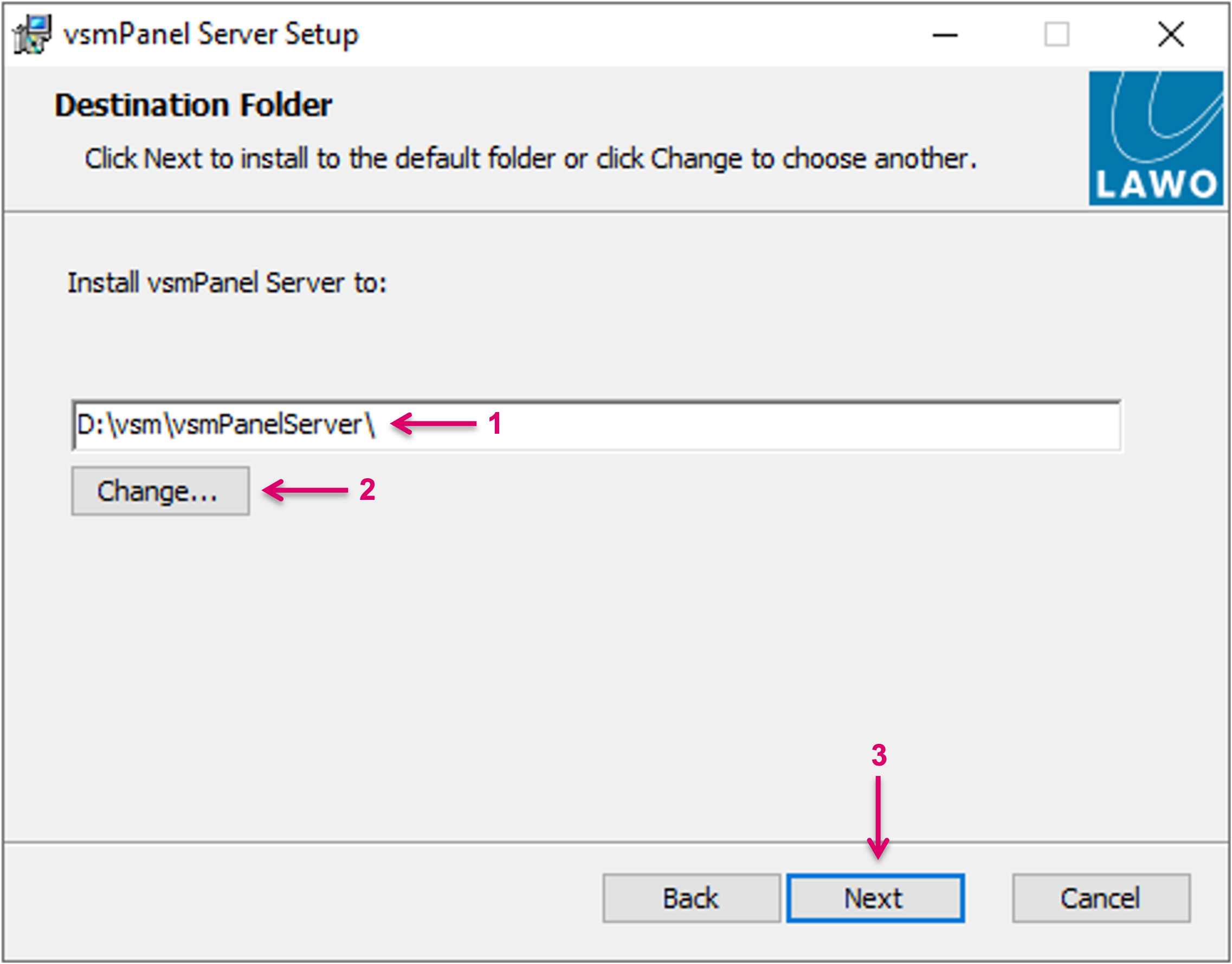
Accept the default Destination folder (1) for the installation or select another (2). If D: does not exists, the path C:\vsm\vsmPanelServer will be suggested. Proceed with Next (3).
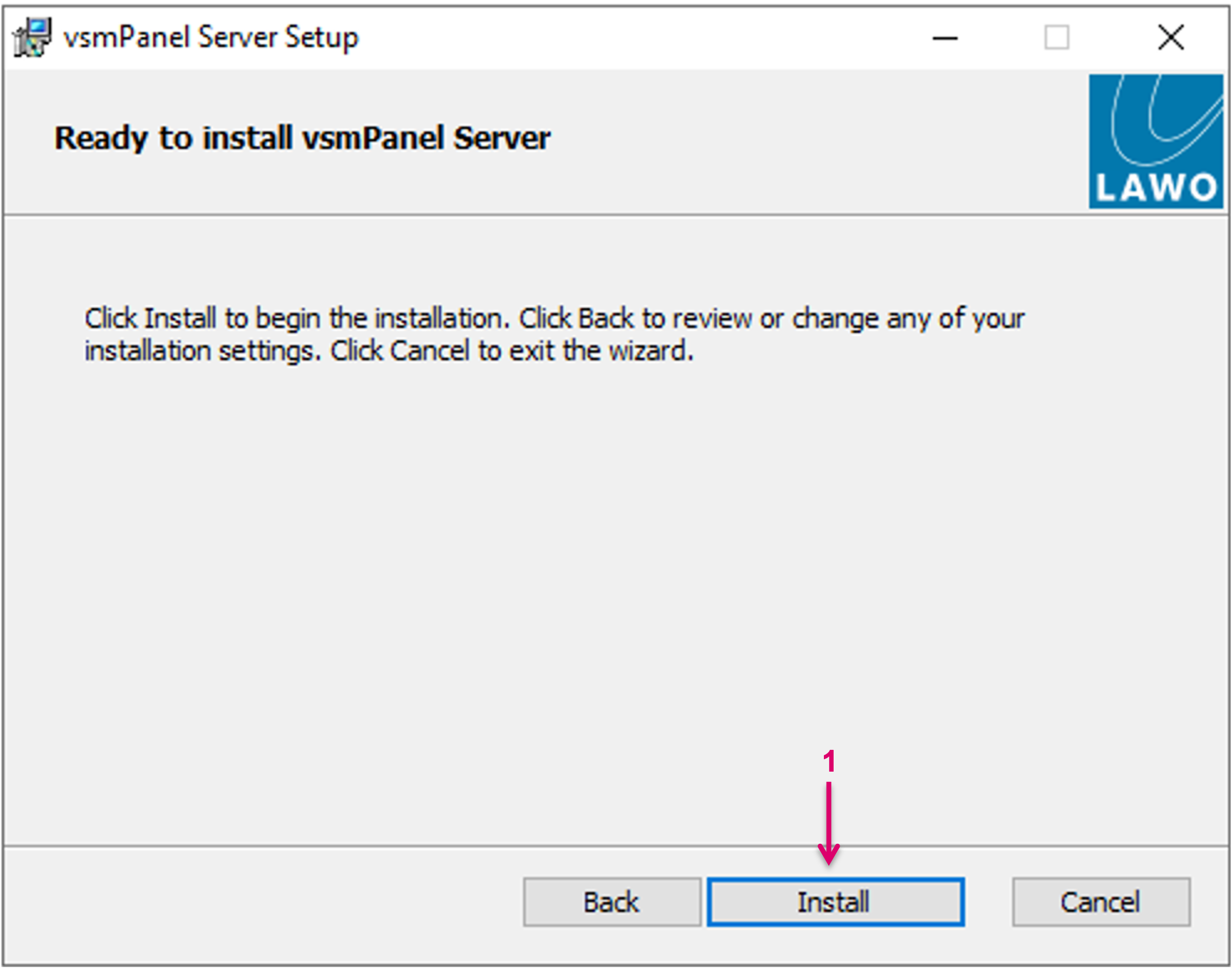
Click Install to begin the installation (1).
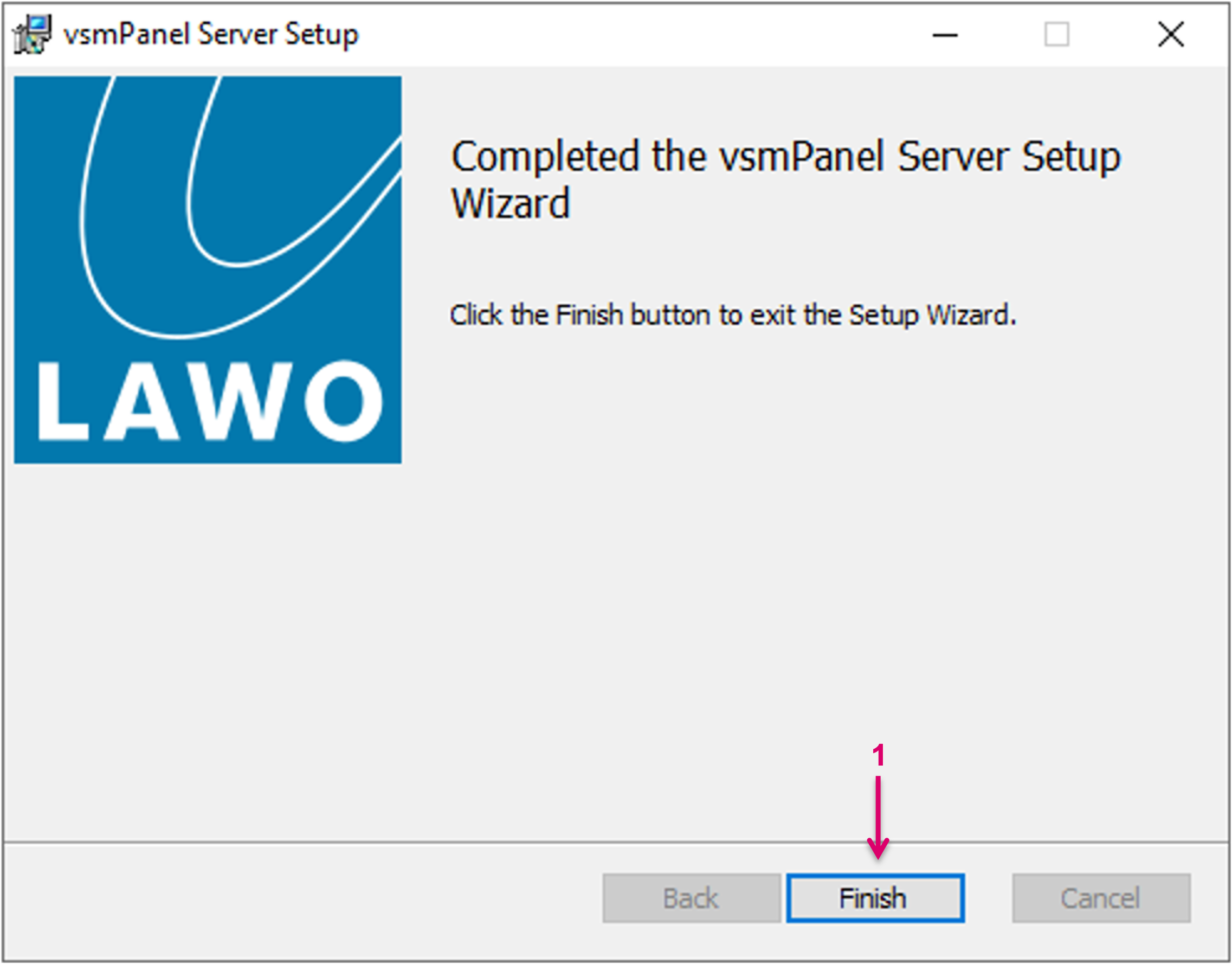
Complete the Wizard with Finish (1).
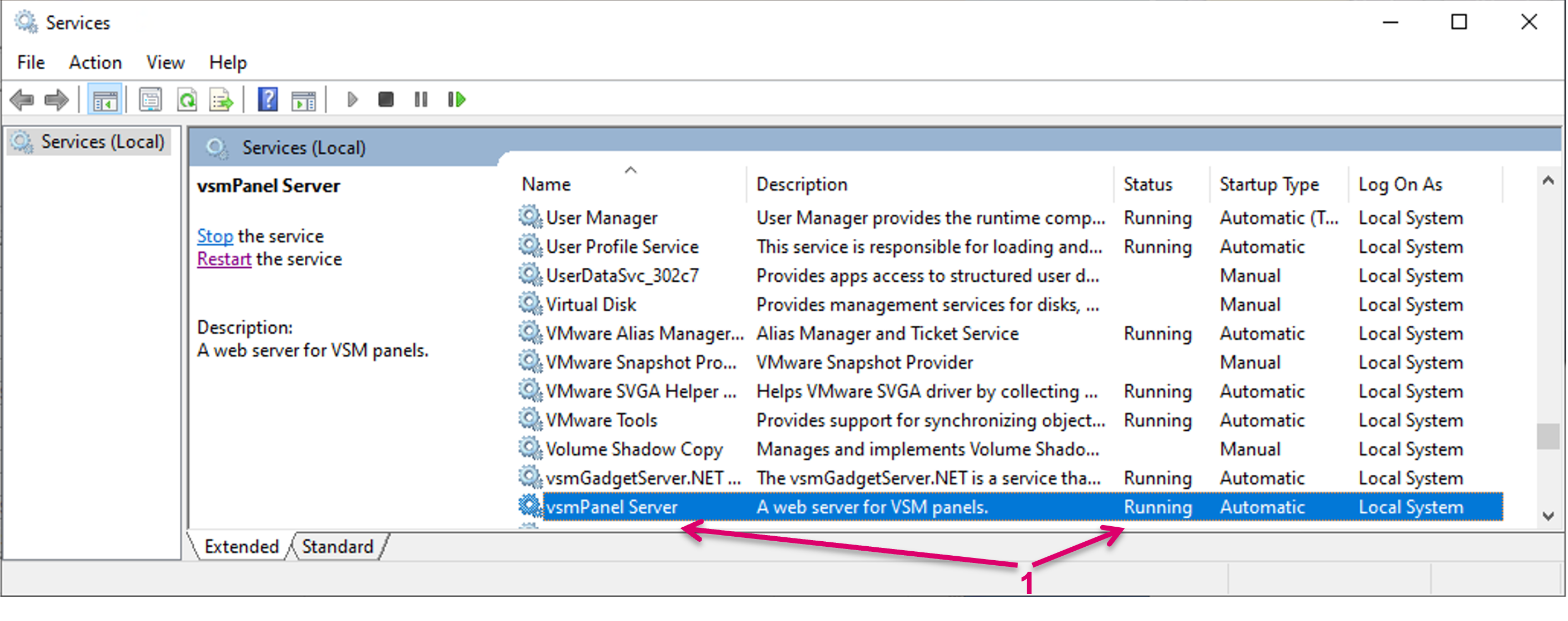
The Installer Package installs vsmWebPanel Server as a Windows Service. The service will be started automatically upon installation (1). By default, the service also starts automatically when the Windows machine is started. The startup behavior can be changed in the Windows services UI (services.msc). You can also manually start, restart and stop the service there.
Logging and Database
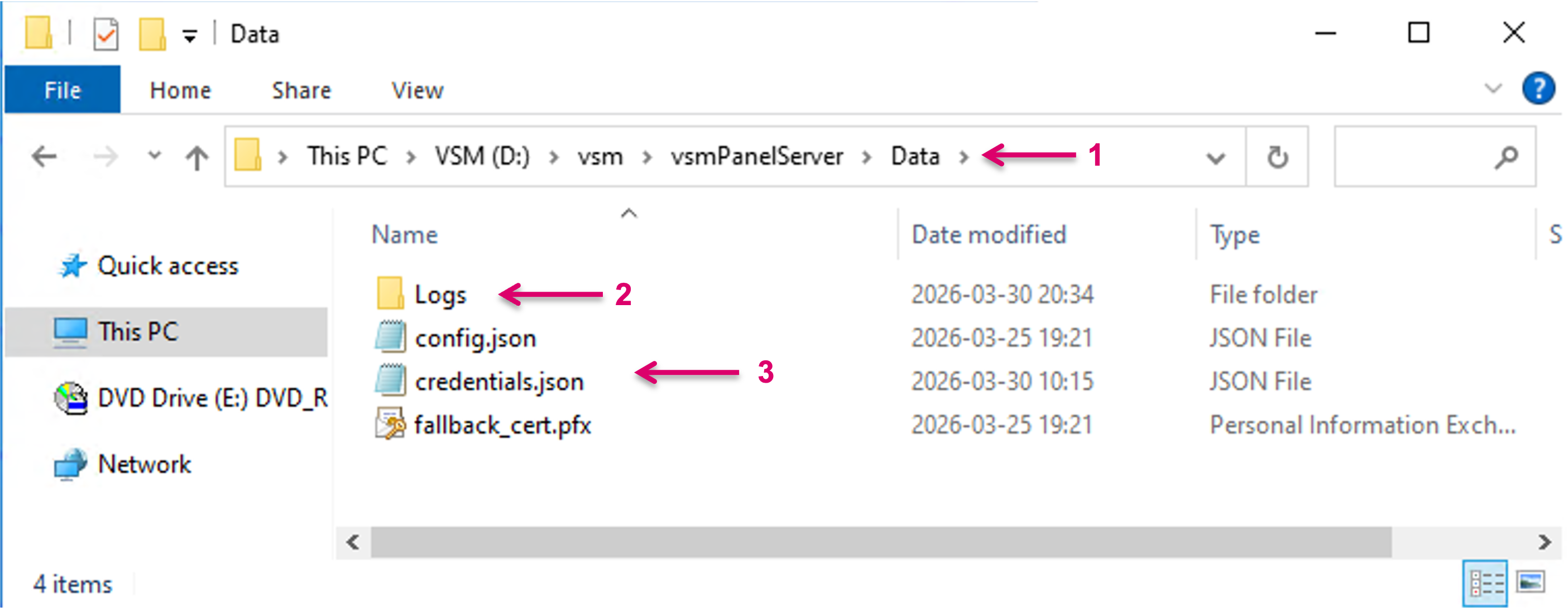
The service logs messages to CommTrace (if available), as well as to log files. Refer to these logs when troubleshooting. Log files (2), config and other runtime-created files (3) are located in the installation folder. Default path is D:\vsm\vsmPanelServer\data\ (1). Configuration and log files persist also when the service is uninstalled or a new version is installed.
Licensing
No specific licensing is required for the vsmWebPanel Server service itself. Licensing is handled via the vsmStudio license. The possible amount of concurrent Client sessions is based on the ordered and licensed number of vsmWebPanel Client licenses.
Existing and unused vsmPanel licenses may be utilized for connecting vsmWebPanel Client sessions as well. This is not possible the other way around. Please note that there is no priority in the order of releasing used licenses, therefore it may be that already used vsmPanel licenses remain in use for a webPanel Client although in the meantime webPanel licenses were freed up.