Introduction
To identify a vsmWebPanel Server in vsmStudio, a Key must be shared between vsmStudio and the respective vsmWebPanel Server. Sharing this key is mandatory. It can be generated in one vsmStudio instance and must then be manually shared with the vsmWebPanel Server and with all vsmStudio Cluster Servers. Pre-Shared Keys are not synchronised across the vsmStudio Cluster.
Configuration
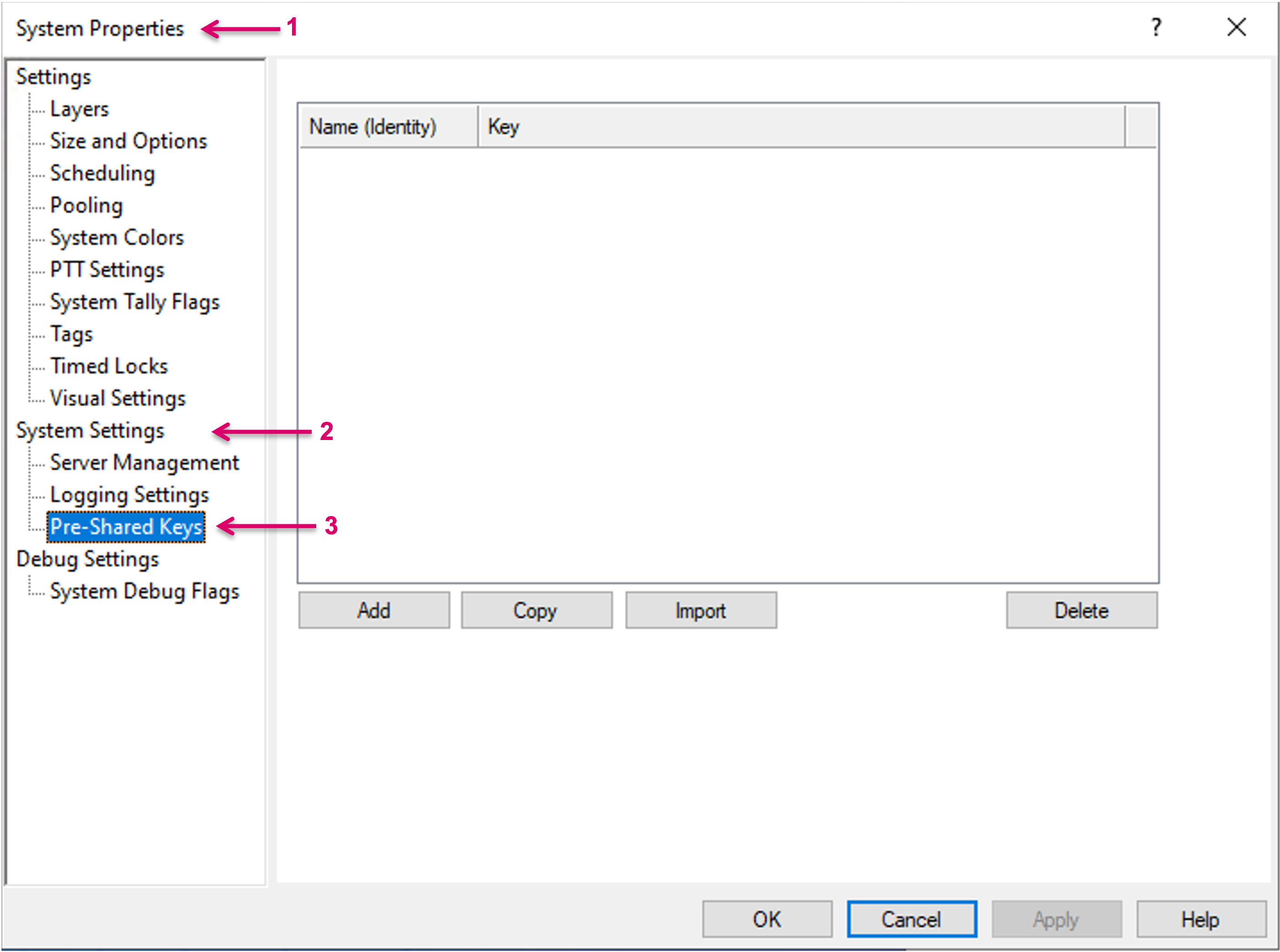
Navigate to System Properties (1)\ System Settings (2)\ Pre-Shared Keys (3).
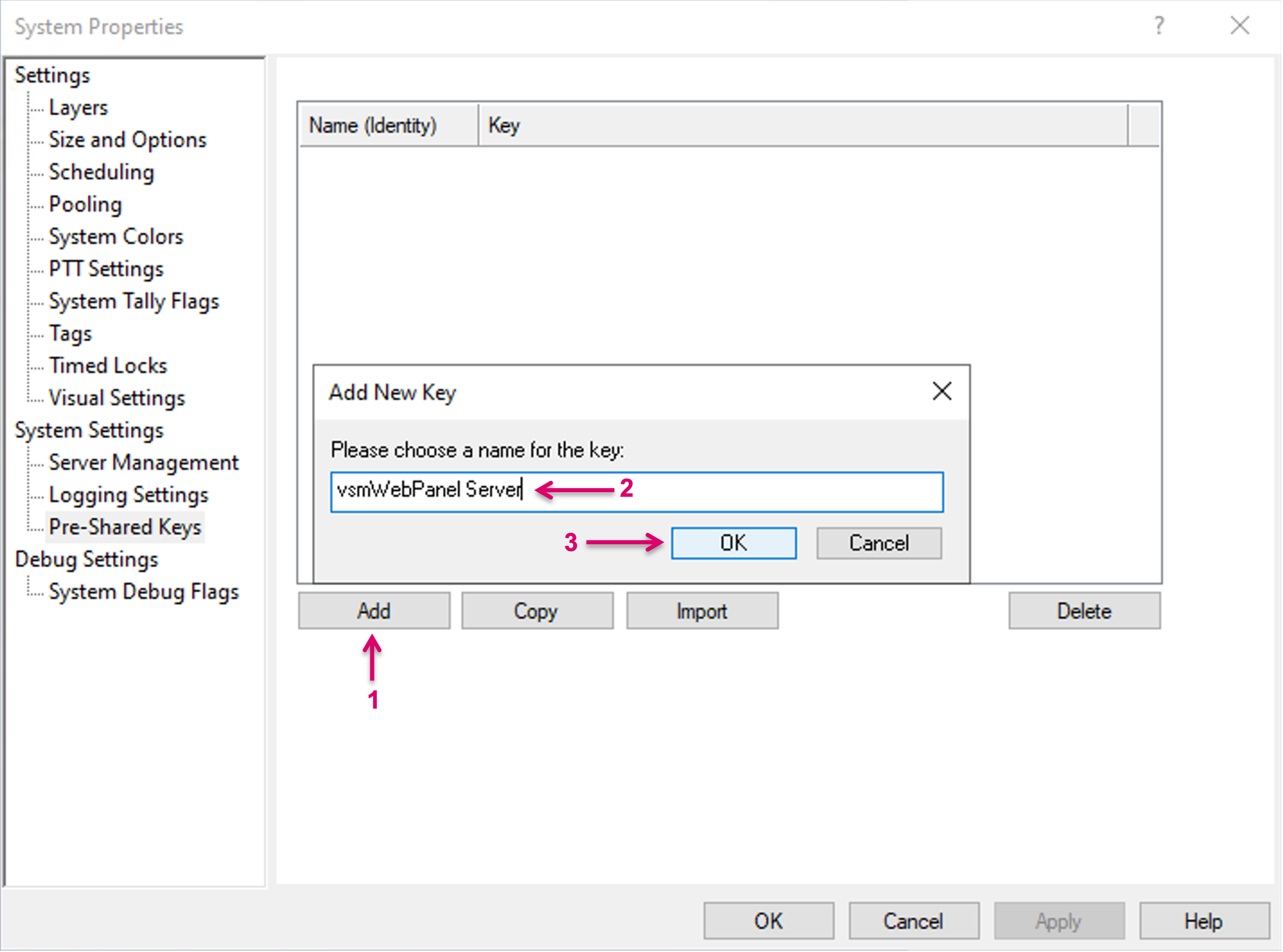
Select Add (1). In the opening mask, set a Name for the new key (2) and confirm with OK (3).
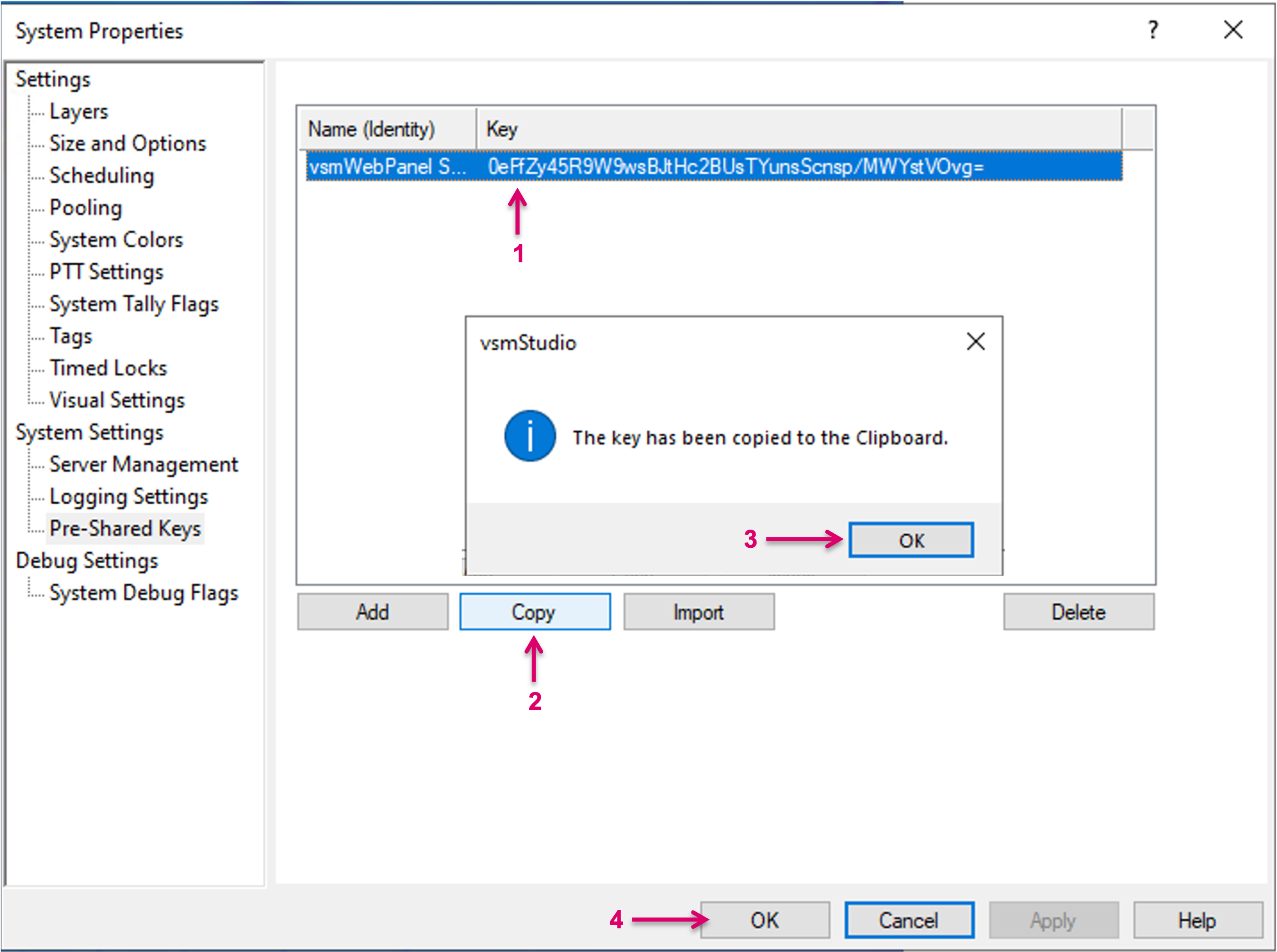
Select the new Key in the list (1) and click on Copy (2). The Key will be copied to the Clipboard, confirm with OK (3). Confirm the Pre-Shared Key dialog with OK (4).
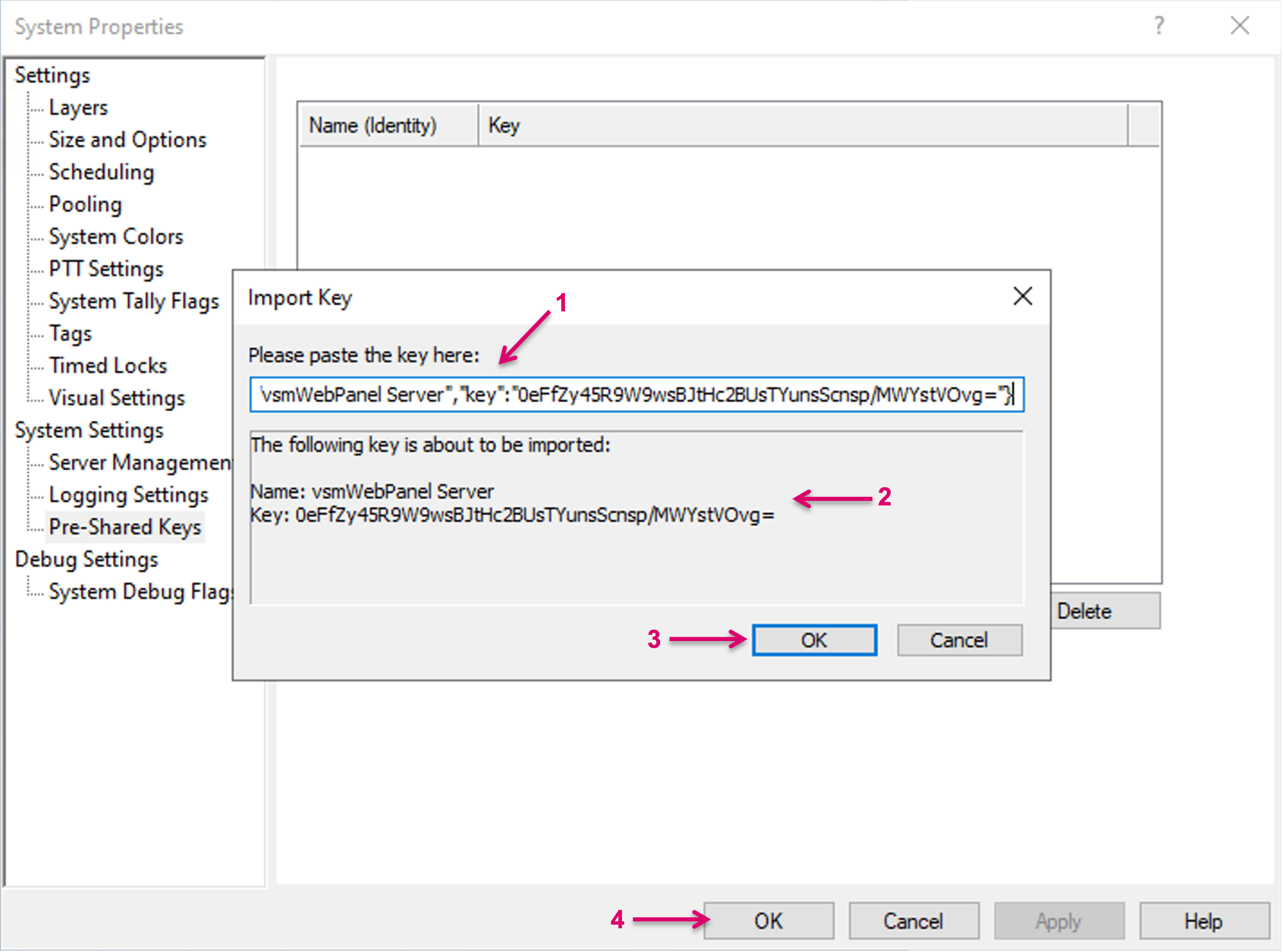
Within one vsmStudio Server Cluster the Pre-Shared Key for the vsmWebPanel Server must be one and the same. Therefore the Key must be copied manually to all other Cluster members. On the Cluster member, navigate to the Pre-Shared Key window and select Import (1).
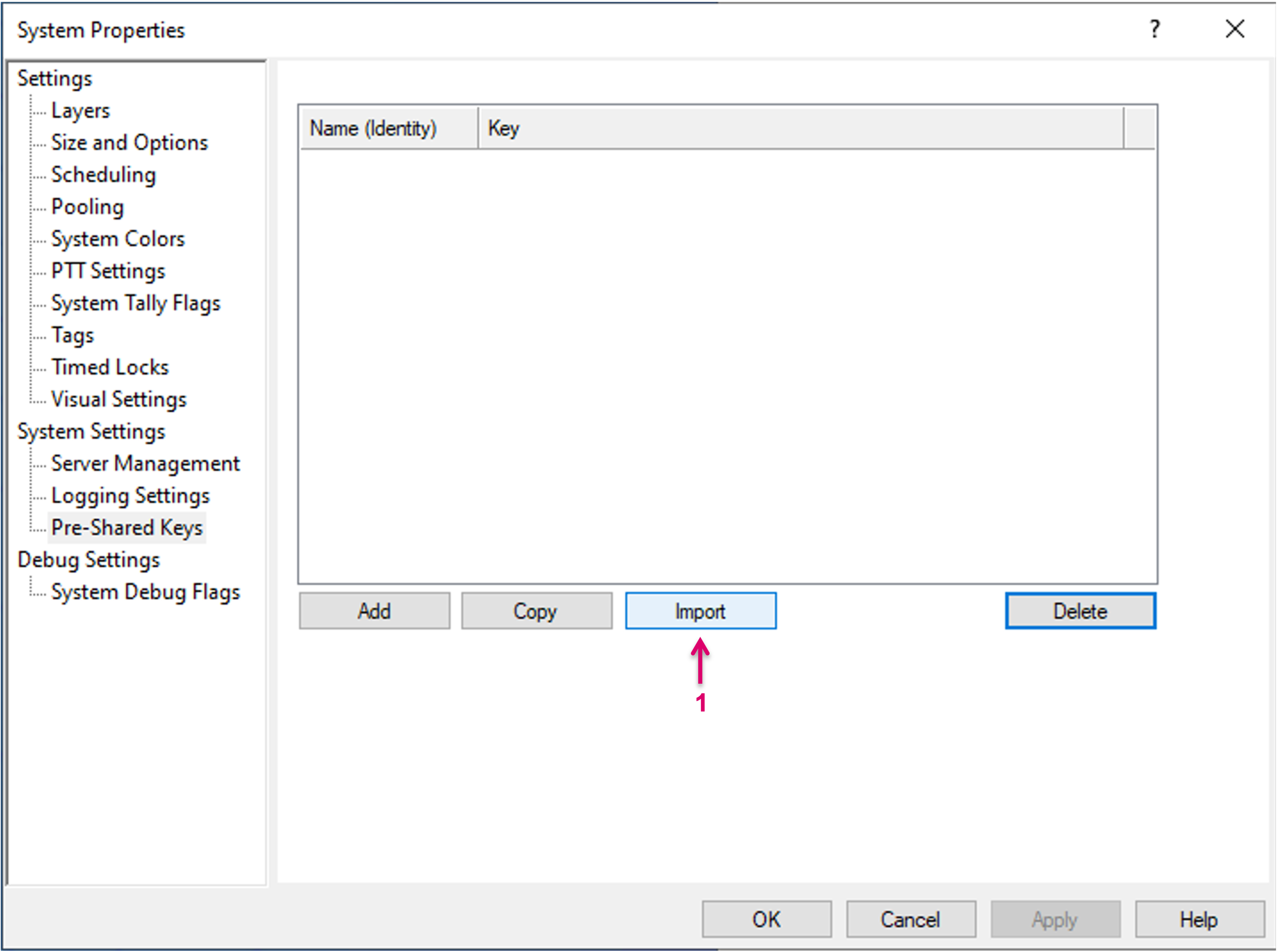
Now paste the copied Key from the other Server (1), check the Key (2) and confirm with OK (3). The Key will be added to the list accordingly, then Confirm the Pre-Shared Key dialog with OK (4).