Introduction
The Ember+ functions module is used to invoke functions provided by Ember+ devices with a certain value.
Configuration
To open and close the module menu, left-click on the appropriate button in the main menu bar:

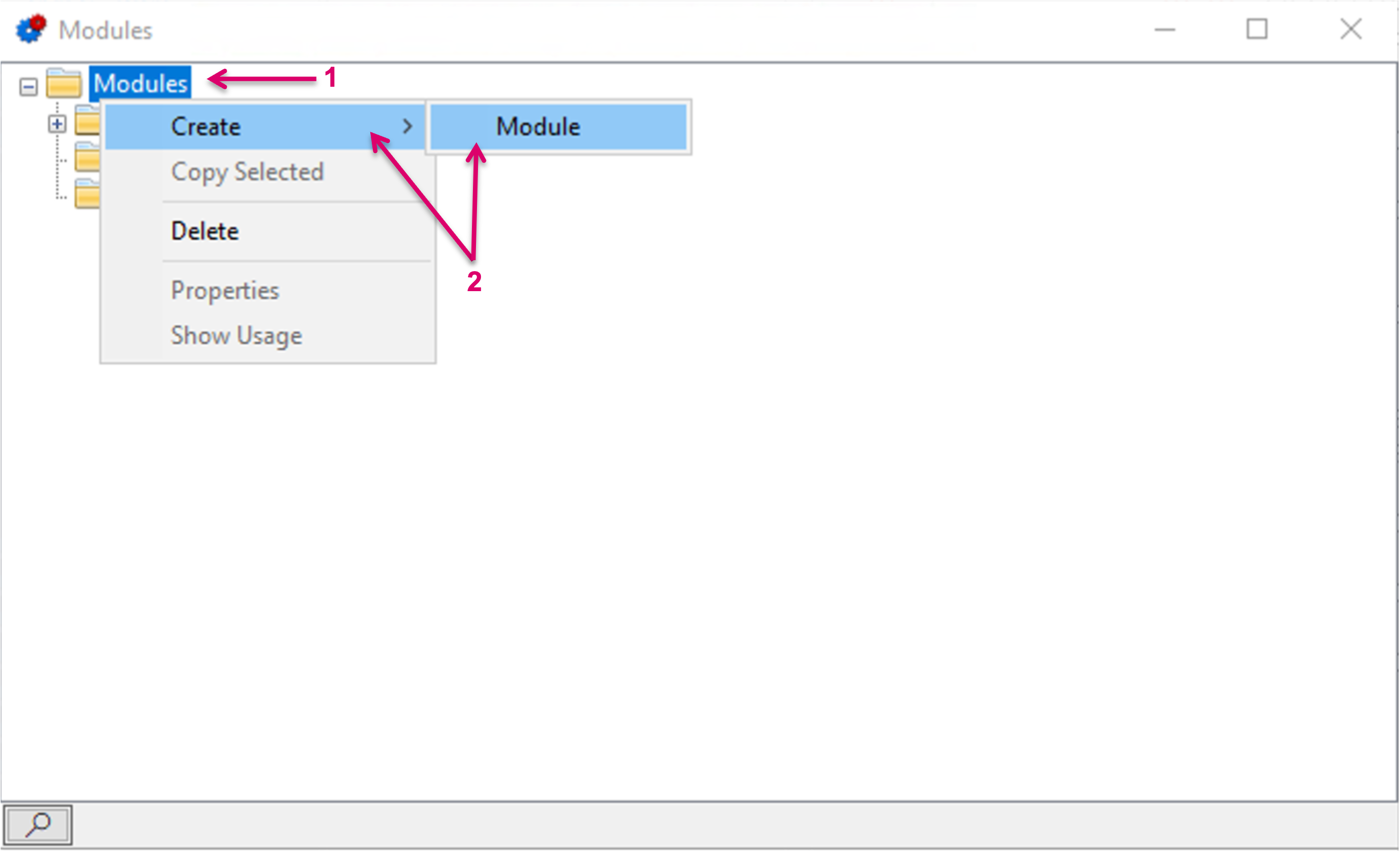
The Modules window will open. Right-mouse-click on Modules (1), then select Create, followed by Module (2).
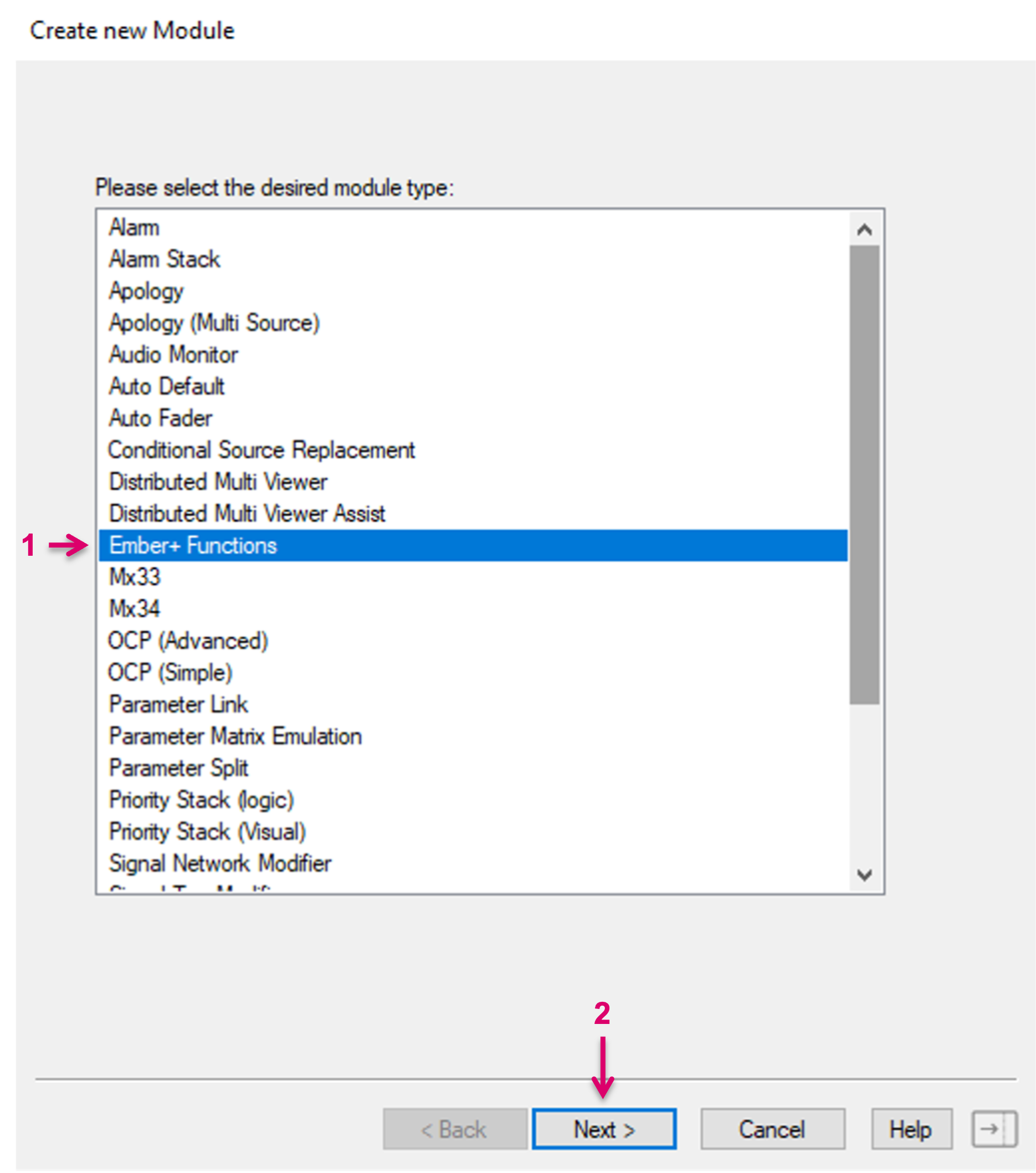
In the opening view select the respective module type "Ember+ Functions" (1). Proceed with "Next" (2).
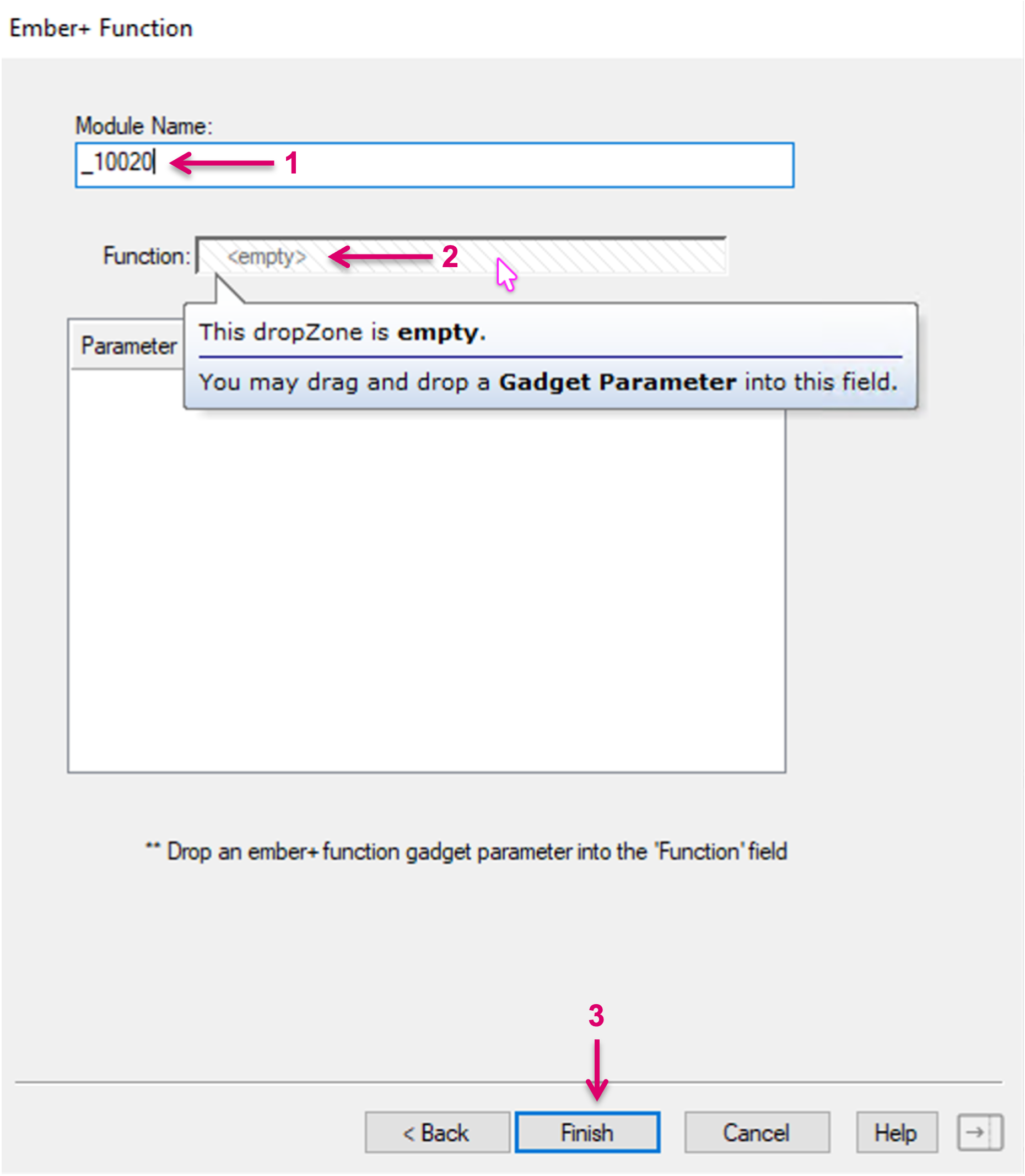
In the edit view of the module, set a Module Name (1), assign the respective function parameter (2) and confirm with Finish (3).
To assign the respective Ember+ function, drag and drop the parameter from the ember tree into the module's Function field (1). Then type in the value that should be used when invoking the function.
In the following example of an HD Core, connected via Ember+, the typed in Parameter Value is referring to a specific Production File Name in the Audio console. That means that the load Production Name function is invoked with the Parameter "FUTEBOL REMOTO" (2), which effectively recalls the matching configuration file in the console.
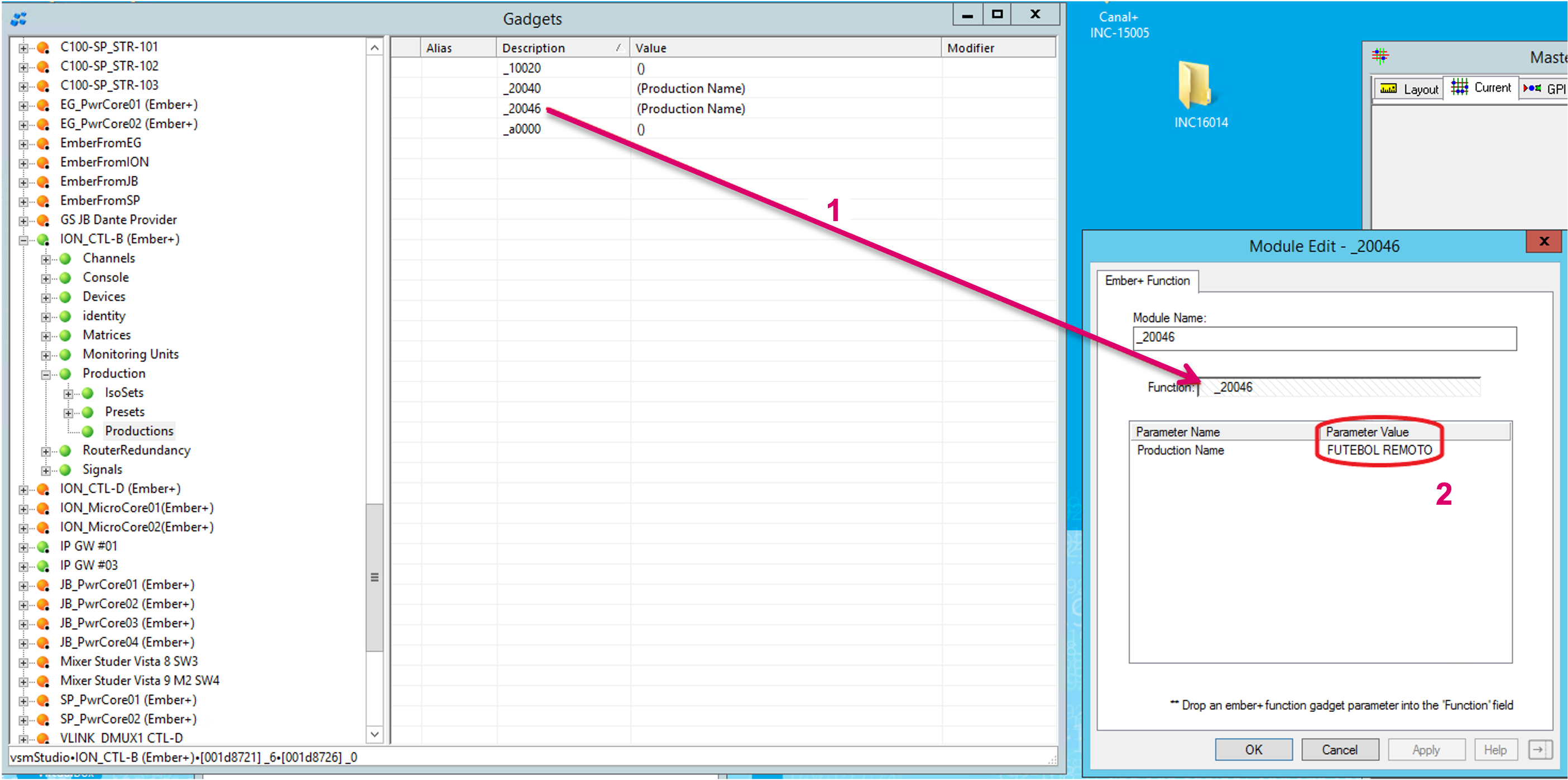
Legend of the Ember+ functions exposed in the shown example:
_10020 = Get Current Production
_20040 = Save Production
_20046 = Load Production
_a0000 = Get Production List
These functions can be invoked by vsmStudio in order to load and save production files of the Audio console.
The return values of Get Current Production and Get Production List can not be displayed by vsmStudio.
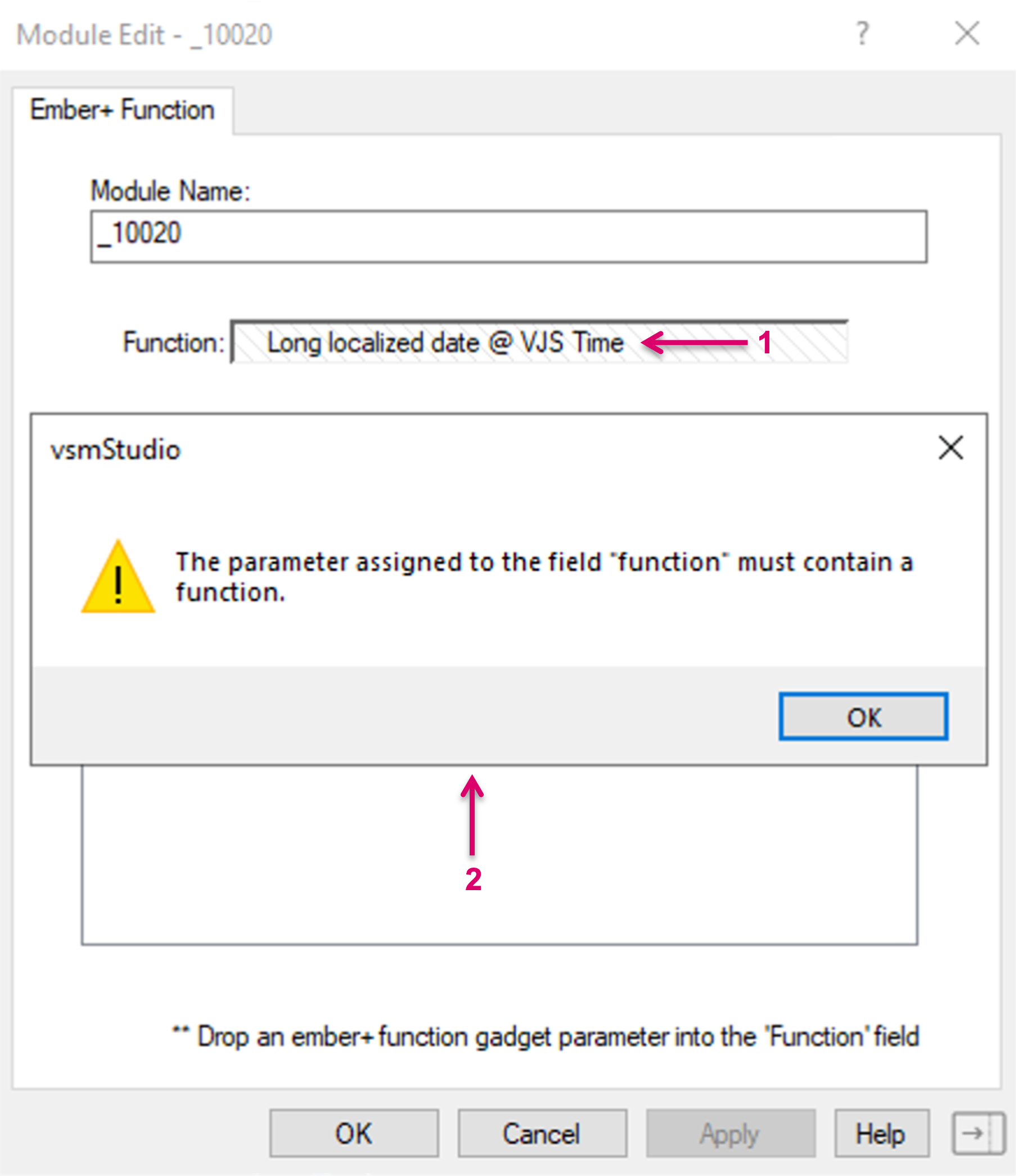
In case of an invalid Ember+ function parameter being dragged into the Function field (1), this parameter will not be accepted and an Error message will appear (2).