The network connection to the Lawo system can be checked from the ON-AIR Designer
'Project' window. This usually appears on the left of the main working area.
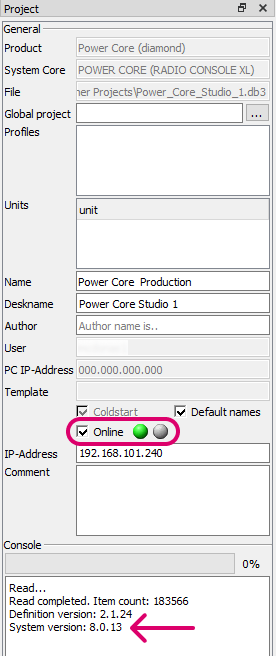
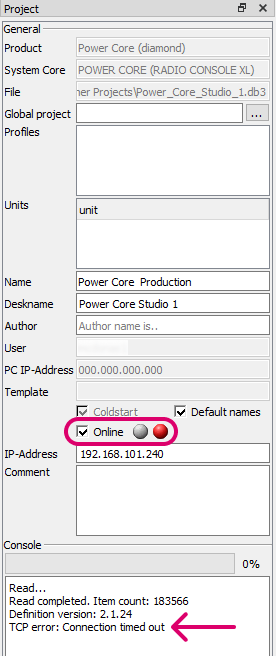
- Tick the Online checkbox to open a connection to device using the IP-Address specified. This must match the IP address of the device's control network port (e.g. 192.168.101.240).
- The two circle indicators update to show the status of the network connection: green = ok; red = not connected; and for legacy products only: yellow = device needs updating.
- If you edit the IP-Address field, the online indicators will update.
In the first example (on the left), the network communication is ok. In the second example (on the right), there is a no communication.
If there is a valid network connection (green indicator), then the 'Console' text area displays the System version. Everything is good and no action is required.
If there is a problem with the network communication (red indicator), then check the IP settings of the configuration PC and device. Then check your network cabling.