The More button in HOME's 'Devices' page opens a drop-down menu where you can access additional operations for the selected device.
The operations include changing the initial configuration, removing devices from HOME, manage HOME Apps, assigning HOME Passes and creating individual device snapshots (to replace a device).
Note that not all devices support all operations and so, if an option is not supported, then it is greyed out.
The examples that follow explain the different operations supported by a .edge (processing blade) and HOME Multiviewer (app).
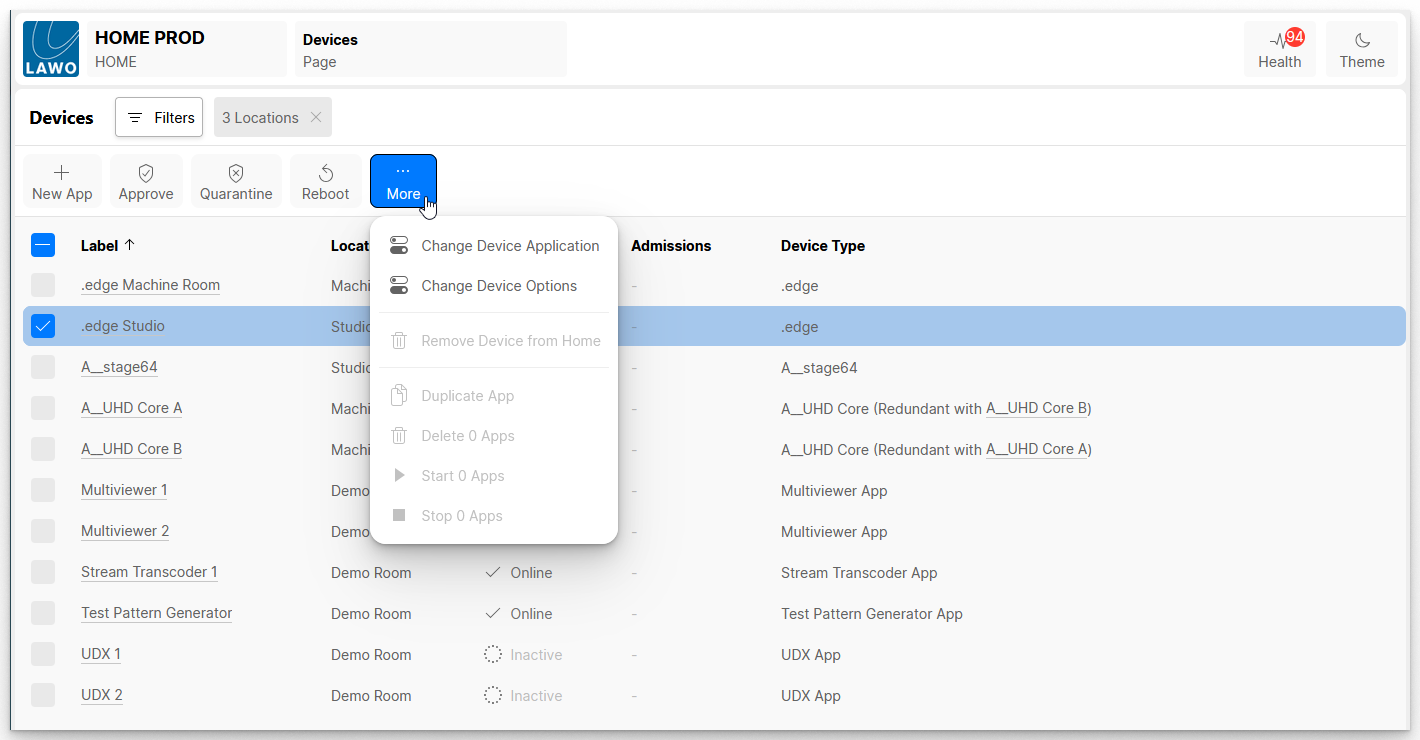
Change Device Application or Options
The Change Device Application and Change Device Options can be used to change settings specific to the device.
The same windows can be accessed from the 'Device Details' page (via the General tab). The settings vary depending on the device type.
Remove Device from Home
The Remove Device from Home option opens a pop-up window where you can choose to remove the device from the Home database:
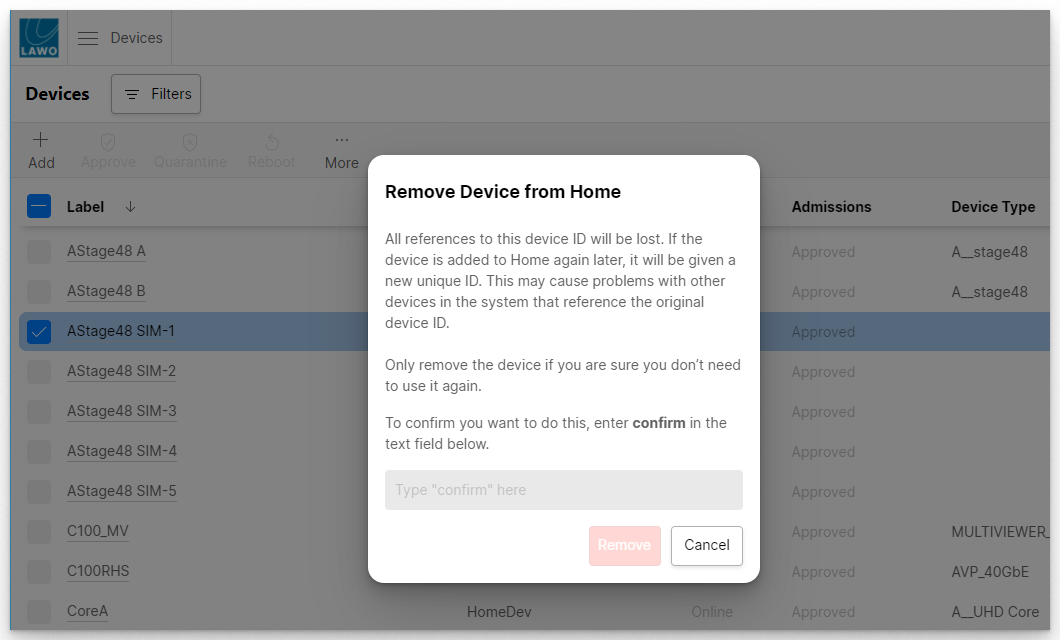
This function should be used with caution as it removes all references to the device ID, but can be useful if you need to remove an obsolete device.
To proceed, follow the on-screen instructions: enter confirm into the text field and then click Remove.
Operations for HOME Apps
The Duplicate, Delete, Start and Stop App options apply to HOME Apps. They can be used to duplicate, delete, start or stop the selected app.
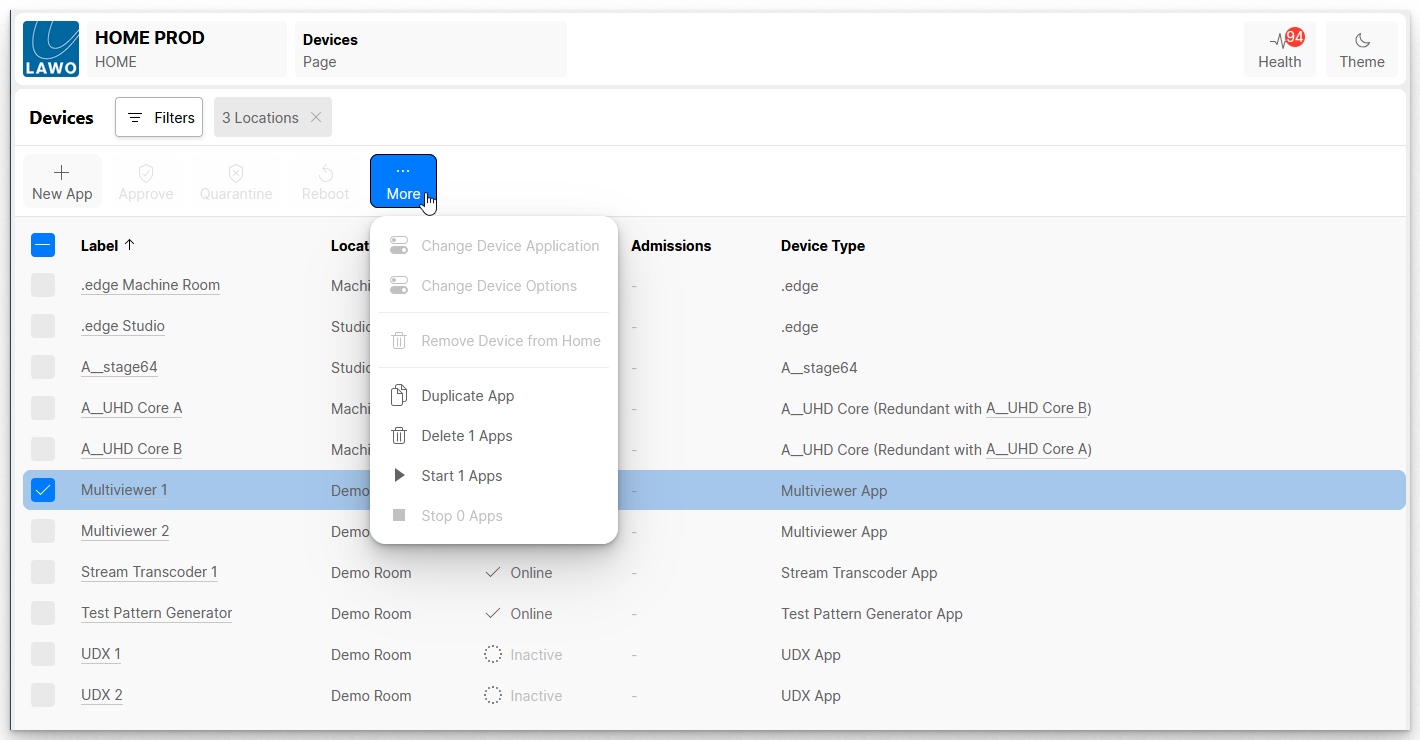
For more information, please see the "HOME Apps User Manual".