HOME UDX - Advanced -> Resizer Controls
The Advanced → Resizer Controls menu offers the user the ability to add 'size' type effects to the video passing through the UDX.
This menu appears once the app is configured and running. All controls are displayed on a single page; there are no sub-pages.
This topic describes the available controls and then explains how to use them to convert video between different Aspect Ratios.
Resizer Controls
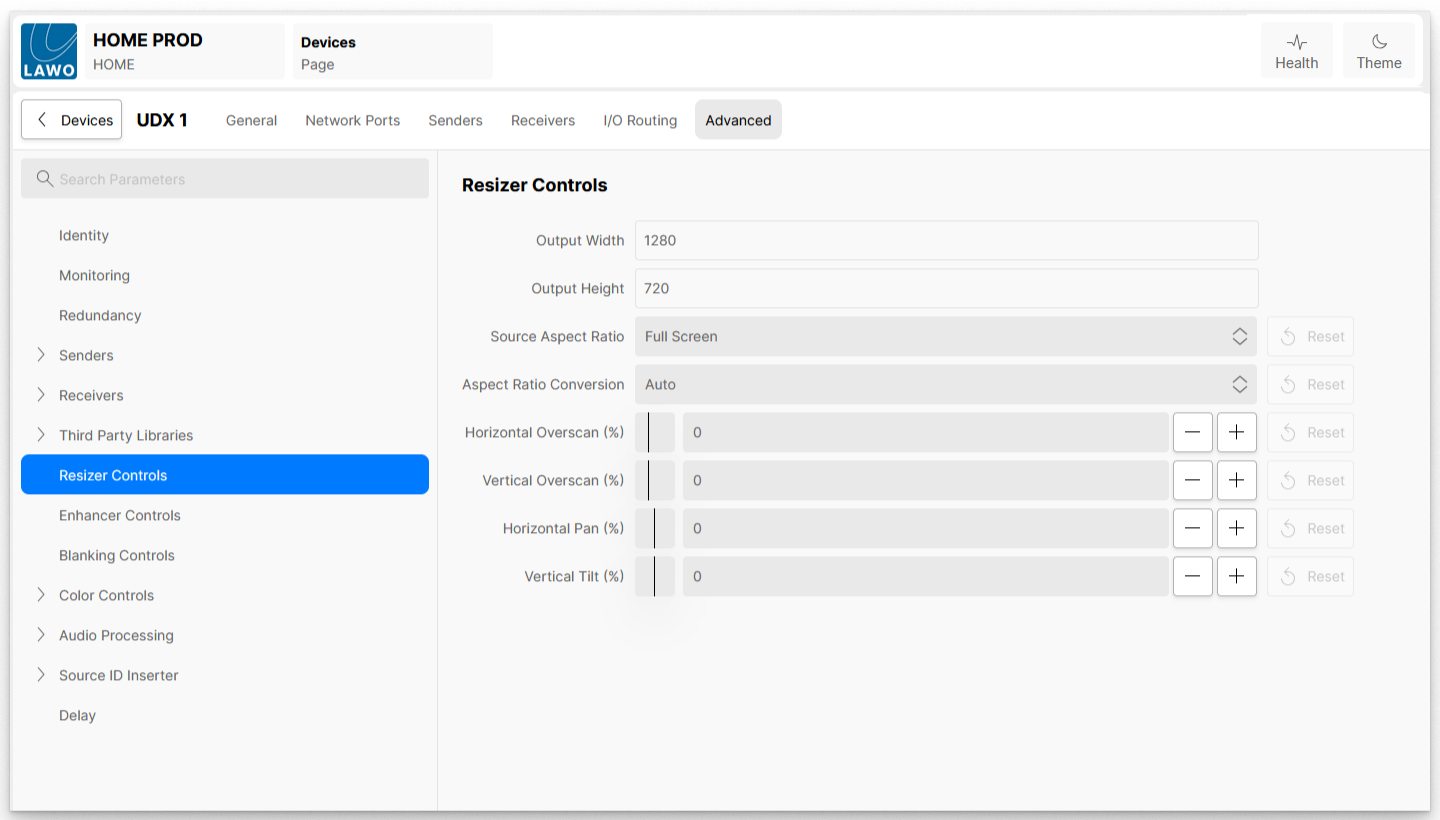
| Control | Description | Before | Positive adjustment | Negative adjustment |
|---|---|---|---|---|
| Output Width | Shows the horizontal resolution of the output, as configured in the app configuration menu. | |||
| Output Height | Shows the vertical resolution of the output, as configured in the app configuration menu. | |||
| Source Aspect Ratio | When the user wishes to convert from one video aspect ratio to another, this control is used to define the aspect ratio of the incoming video.
| |||
| Aspect Ratio Conversion | Sets the method used to convert the source aspect ratio to that of the output.
| |||
| Horizontal Overscan (%) | Stretches or shrinks the video horizontally around the centre of the image. |
|
|
|
| Vertical Overscan (%) | Stretches or shrinks the video vertically around the centre of the image. |
|
|
|
| Horizontal Pan (%) | Shifts the video left or right within the output frame. |
|
|
|
| Vertical Tilt (%) | Shifts the video up or down within the output frame. |
|
|
|












Aspect Ratio Conversion - ARC
UDX provides simple but extensive tools to convert video between different Aspect Ratios.
The 'Source Aspect Ratio' control is used to describe the video's aspect ratio on the Input to the UDX, and must be set by the user.
The available options are:
- Full screen
- 4x3 pillar box
- 16x9 letter box
- 14x9
- Widescreen 1.85:1
- Anamorphic 2.39:1
For example, '4x3 pillar box' should be selected in the case where the incoming video is a 4x3 picture in a 16x9 frame with black bars on either side.

'16x9 letter box' should be selected in the case where the incoming video is a 16x9 picture in a 4x3 frame, with black bars top and bottom.

Once the appropriate setting has been made for the Source Aspect Ratio, the user must next select from the options presented in the Aspect Ratio Conversion control, these are:
- Auto - UDX automatically decides the best method to use based on the source and destination formats, retaining the aspect ratio of the source video
- Stretch - Stretches the video horizontally and vertically (disregards the aspect ratio) to fill the frame
- Full Height - stretches the video (retaining aspect ratio of the source video), so the top and bottom of the video are touching the top and bottom of the frame
- Full Width - stretches the video (retaining aspect ratio of the source video), so the left and right edges of the video are touching the left and right edges of the frame
- 14x9 - scales the video to a 14x9 aspect ratio
UDX will then process the video based on the settings given. It should be noted that under certain conditions, no conversion will be made, for example, in the case of a 14x9 Full Screen source, going to a 4x3 output, then Stretch, Full Height and Full Width do nothing, 14x9 will cause the video to be processed.
Below is a table showing some common conversions and whether processing is required or not.
| Input Transport | Output Transport | Source Aspect | ARC Mode selected | Processing required? |
|---|---|---|---|---|
| 4x3 | 16x9 | Full Screen | Stretch | no |
| Full Height | yes | |||
| Full Width | yes | |||
| 14x9 | yes | |||
| 4x3 | 16x9 | 4x3 pillar box | Stretch | no |
| Full Height | yes | |||
| Full Width | yes | |||
| 14x9 | yes | |||
| 4x3 | 16x9 | 16x9 Letter box | Stretch | yes |
| Full Height | yes | |||
| Full Width | yes | |||
| 14x9 | yes | |||
| 4x3 | 16x9 | 14x9 | Stretch | yes |
| Full Height | yes | |||
| Full Width | yes | |||
| 14x9 | yes | |||
| 4x3 | 16x9 | Widescreen 1.85:1 | Stretch | yes |
| Full Height | yes | |||
| Full Width | yes | |||
| 14x9 | yes | |||
| 4x3 | 16x9 | Anamorphic 2.39:1 | Stretch | yes |
| Full Height | yes | |||
| Full Width | yes | |||
| 14x9 | yes |